 Get Palette Grid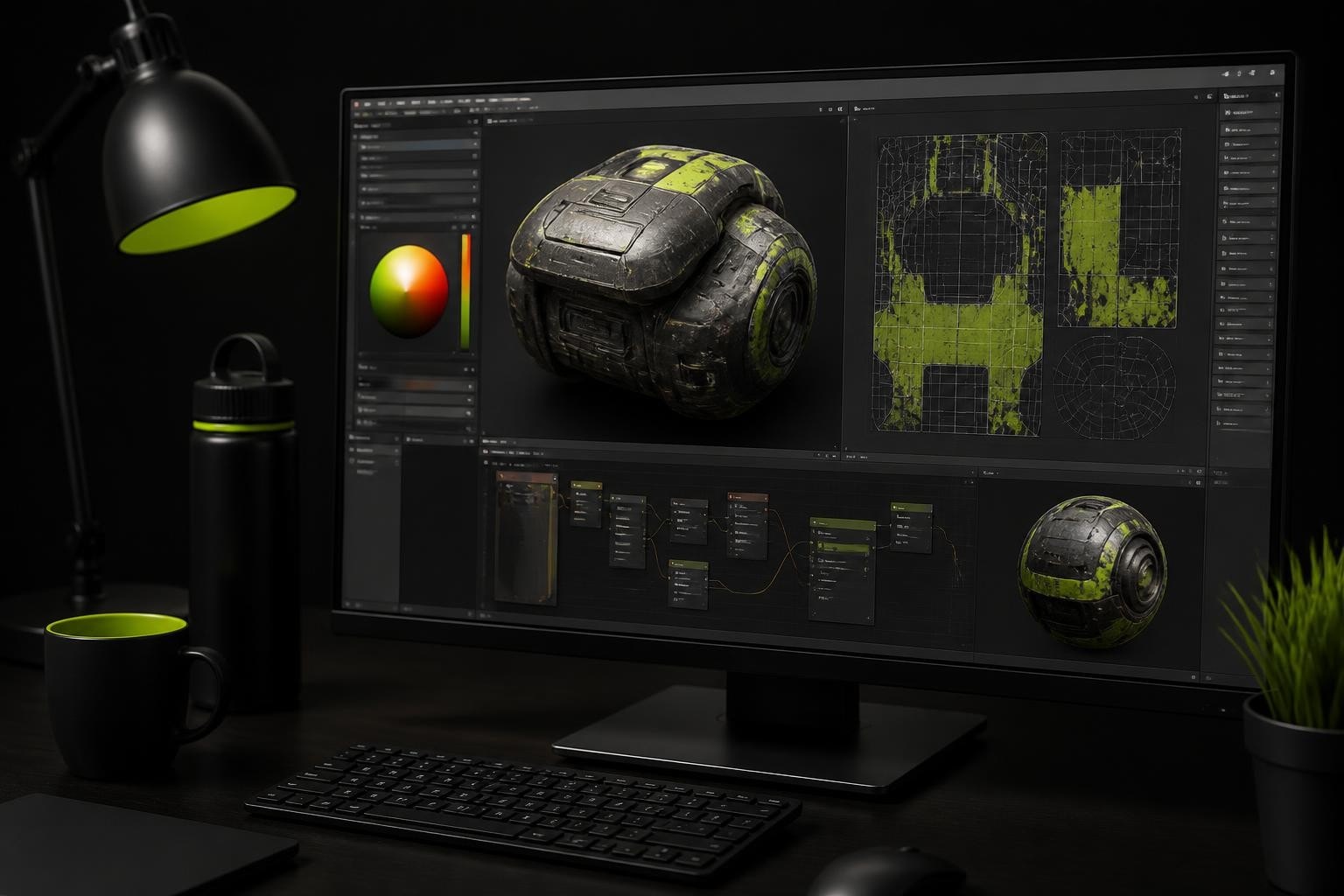
Texture editing represents one of the most critical skills in modern 3D art production, bridging the gap between raw geometry and polished, production-ready assets. Whether you're working on stylized game characters, architectural visualization, or animation projects, the ability to efficiently edit and refine textures directly impacts both visual quality and iteration speed. In 2026, texture editing workflows have evolved beyond traditional external paint programs, with integrated solutions inside 3D applications offering unprecedented control and immediacy. This guide explores professional texture editing techniques, tools, and workflows specifically designed for artists who want to streamline their process without sacrificing creative control.
Understanding Modern Texture Editing Workflows
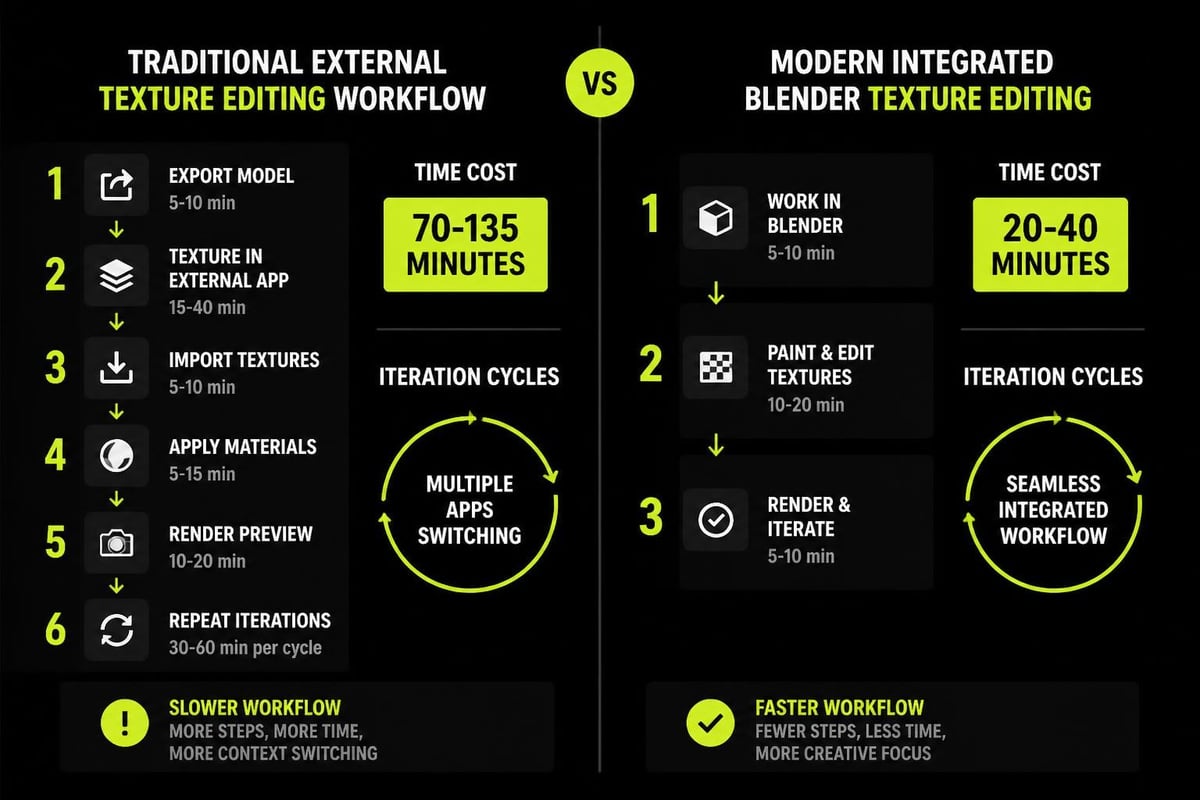
Traditional texture editing required constant context-switching between 3D viewport and external image editors. You'd unwrap UVs, export a template, paint in Photoshop or GIMP, save, reimport, check the result, then repeat. This fragmented approach consumed time and broke creative momentum.
Modern texture editing integrates directly into 3D environments, enabling real-time feedback as you work. Texture painting, procedural generation, and palette-based workflows now coexist within single applications, each serving different production needs. Game developers particularly benefit from these integrated approaches, as they can validate texture appearance under actual lighting conditions immediately.
The Evolution of Texture Creation Methods
The landscape of texture editing has shifted dramatically over the past decade. Where artists once relied exclusively on hand-painted textures or photograph manipulation, today's workflows incorporate multiple methodologies:
- Procedural texturing: Node-based systems generate patterns algorithmically
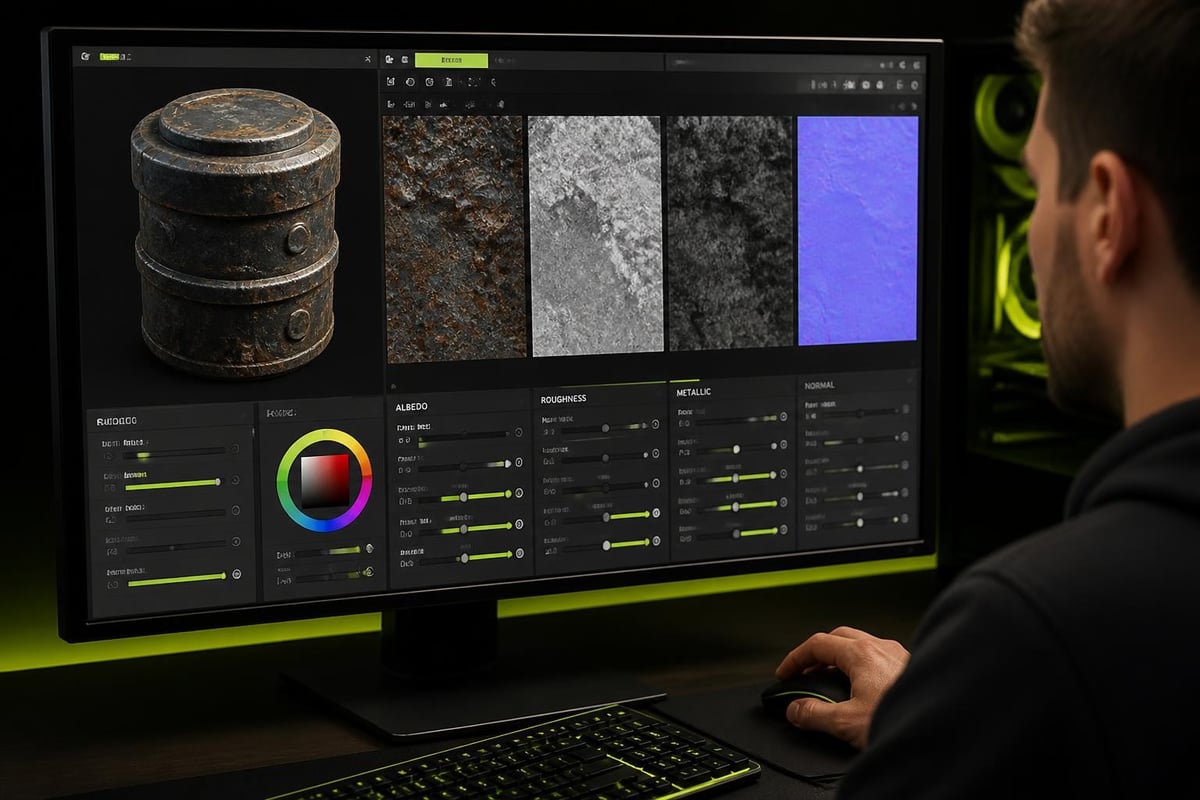
- PBR workflows: Physically-based rendering requires coordinated maps for albedo, roughness, metallic, and normal data
- Palette texturing: Gradient-based color assignment for stylized art
- AI-assisted editing: Neural networks now support texture generation and manipulation
Each approach addresses specific production requirements. Understanding when to apply each method separates efficient artists from those struggling with inefficient workflows.
Core Techniques for Effective Texture Editing
Professional texture editing extends beyond basic color application. It requires understanding UV space, texture resolution implications, and how different texture types interact within material systems.
UV Mapping and Texture Space Management
Before any texture editing occurs, proper UV unwrapping establishes the foundation. Poor UV layouts create distortion, wasted texture space, and editing difficulties. The unwrapping process in Blender requires strategic seam placement to minimize visible artifacts while maximizing usable texture area.
Key UV considerations for texture editing:
- Maintain consistent texel density across similar surfaces
- Minimize UV island count to reduce seam visibility
- Orient UV shells to align with texture painting direction
- Reserve adequate margin space to prevent texture bleeding
- Group related geometry into logical UV islands
When working with stylized art, UV layout requirements differ from photorealistic projects. Palette texture workflows often require specific UV orientations to properly sample gradient strips, making UV planning even more critical.
Layer-Based Texture Organization
Organizing texture edits into logical layers prevents destructive workflows and maintains editability throughout production. Whether working in external tools or integrated texture painters, layer structure impacts iteration speed significantly.
| Layer Type | Purpose | Blend Mode | Typical Use |
|---|---|---|---|
| Base Color | Foundation tone | Normal | Initial color blocking |
| Detail Paint | Fine surface variation | Multiply/Overlay | Weathering, dirt, highlights |
| Decals | Logos, markings | Normal | Identification elements |
| Ambient Occlusion | Contact shadows | Multiply | Depth perception |
| Color Correction | Final adjustments | Overlay/Soft Light | Saturation, value shifts |
This structured approach enables non-destructive texture editing, allowing adjustments at any stage without rebuilding entire texture maps. Research into compositional neural textures demonstrates how layered approaches align with both human workflows and computational models.
Specialized Texture Editing for Game Development
Game development introduces unique constraints that shape texture editing workflows. Performance requirements, platform limitations, and runtime considerations all influence how textures are created and edited.
Optimizing Texture Memory and Draw Calls
Every texture consumes memory and potentially adds draw calls. Strategic texture editing reduces both while maintaining visual quality. Texture atlasing combines multiple material textures into single maps, but requires careful UV layout and editing precision.
Reducing draw calls through texture optimization becomes particularly important for mobile and VR platforms. Palette-based texture editing offers one solution: multiple objects share single texture maps, with variation achieved through vertex color or secondary UV manipulation rather than unique textures per asset.
When editing palette textures specifically, artists work with compact gradient strips rather than expansive texture sheets. This approach demands different editing techniques:
- Precise color control within narrow pixel ranges
- Gradient smoothness without color banding
- Strategic color placement for maximum variation
- Consideration of interpolation across palette strips
Gradient-Based Color Workflows
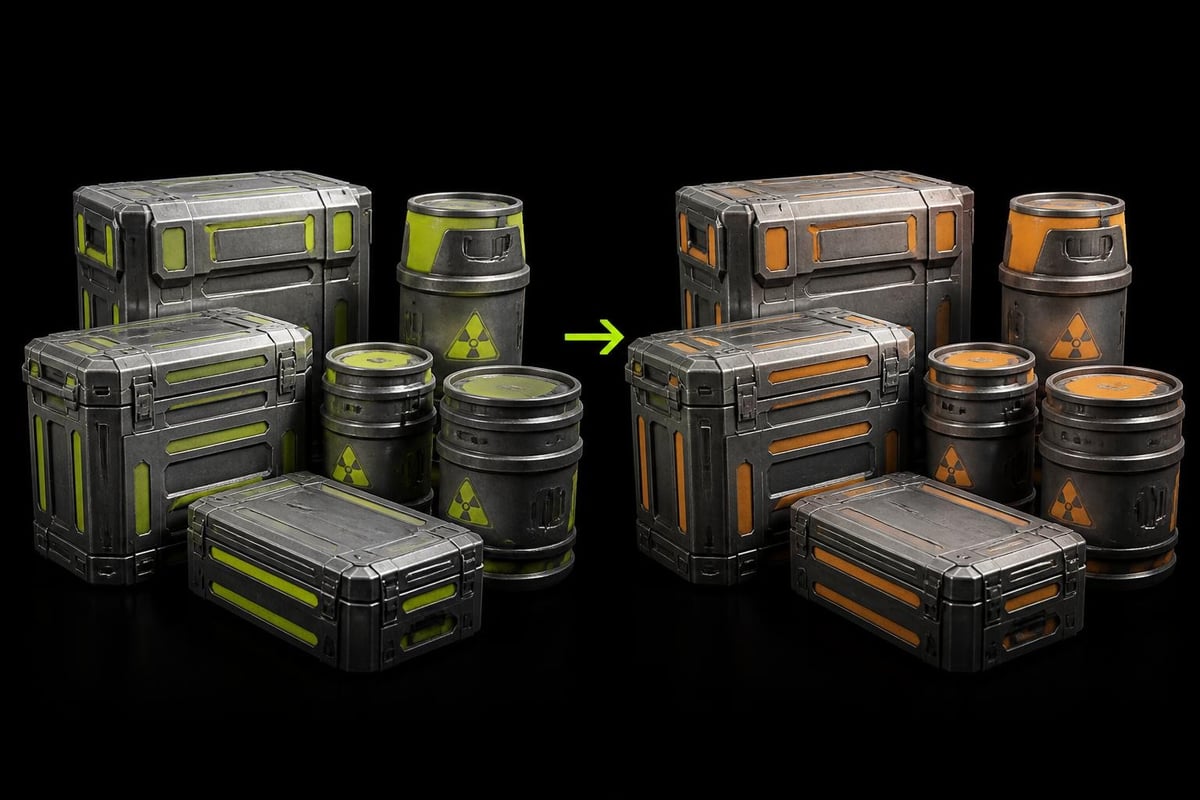
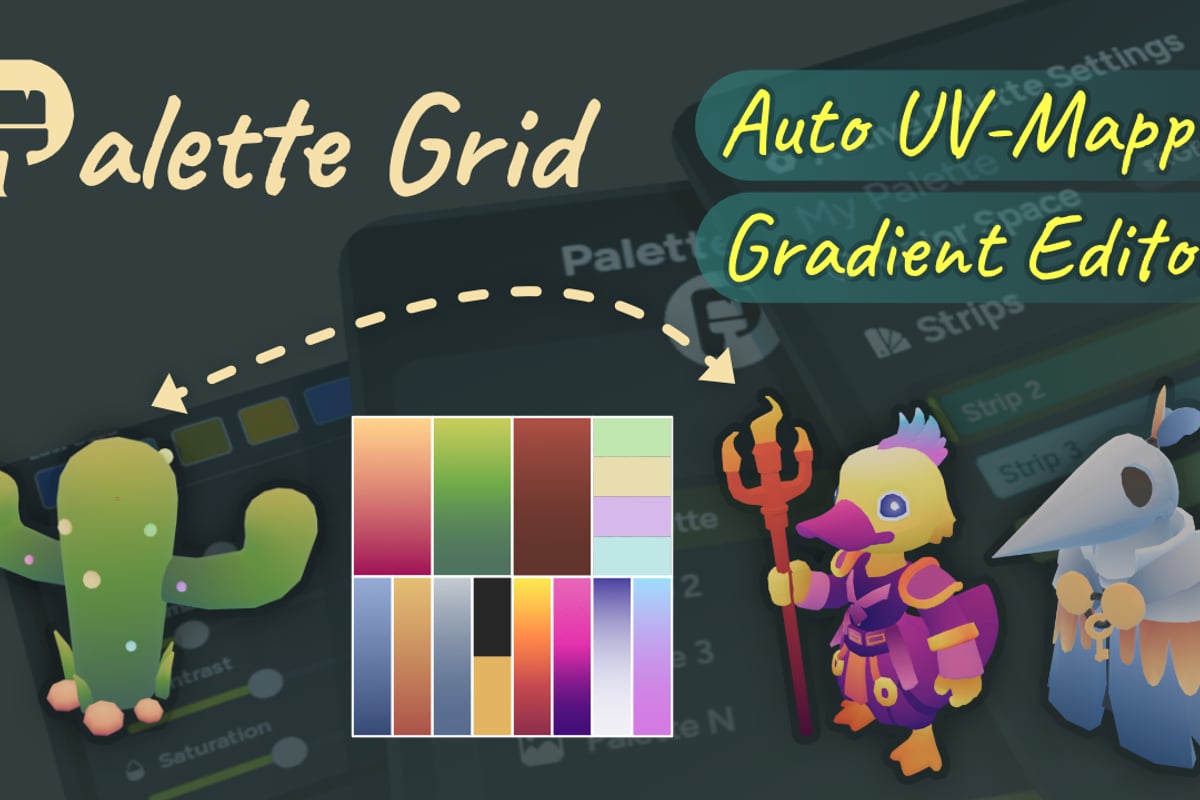
Gradient texturing in Blender represents a specialized texture editing approach particularly valuable for stylized game art. Rather than painting detailed textures, artists create gradient strips that define color transitions across surfaces.
This method streamlines texture editing by centralizing color control. Modifying a gradient strip instantly updates all assets using that palette. For teams working on stylized projects, this centralized editing approach maintains visual consistency while accelerating iteration.
Gradient palette texture editing benefits:
- Centralized color management across entire asset libraries
- Instant global color adjustments without re-exporting
- Minimal texture memory footprint
- Consistent color relationships maintained automatically
Palette Grid addresses production pain points in gradient palette workflows by enabling artists to create and edit these textures directly in Blender without external tools, maintaining immediate visual feedback on actual geometry.
Advanced Texture Editing Approaches
Beyond fundamental techniques, advanced texture editing methods leverage procedural systems, blending algorithms, and specialized tools to achieve specific visual results efficiently.
Procedural Texture Generation and Editing
Procedural texturing generates patterns through mathematical functions rather than stored pixel data. While this approach reduces memory usage and enables infinite resolution, it complicates direct editing. Artists must understand node networks and parameter relationships rather than painting directly.
Procedural texture methods excel for repetitive patterns, natural materials, and resolution-independent results. However, achieving specific artistic intent requires different thinking than traditional texture painting. Node-based texture editing demands understanding mathematical relationships between texture components.
Procedural texture editing workflow:
- Establish base pattern through noise or mathematical functions
- Layer multiple procedural elements with blend modes
- Introduce variation through coordinate manipulation
- Add detail through function modulation
- Fine-tune parameters for desired visual result
Seamless Texture Blending and Montage
Creating seamless textures across complex surfaces challenges artists working on organic models or architectural elements. Texture montage techniques enable artists to combine multiple source textures while maintaining visual continuity across seams.
Modern texture editing tools incorporate seam-aware algorithms that analyze surrounding pixels and generate transition zones. This computational assistance accelerates workflows that previously required extensive manual touch-up. The balance between algorithmic assistance and direct artistic control defines contemporary professional texture editing.
Texture Editing for Different Art Styles
Texture editing requirements vary dramatically across artistic approaches. Photorealistic assets demand different techniques than stylized characters, which differ again from abstract or non-photorealistic rendering styles.
Stylized and Low-Poly Texture Approaches
Stylized low-poly workflows prioritize intentional color choices over realistic material simulation. Texture editing focuses on clear color separation, deliberate value contrast, and graphic impact rather than subtle surface variation.
Stylized texture editing priorities:
- Bold, readable color choices
- Minimal texture resolution (often 256x256 or smaller)
- Clear value separation for shape definition
- Limited color palettes for visual cohesion
- Vertex color integration for variation without texture memory cost
When texturing low-poly game assets, speed matters as much as quality. Production pipelines favor workflows that generate acceptable results quickly over those pursuing photographic perfection through extensive iteration.
Hand-Painted Texture Techniques
Hand-painted textures require different editing considerations than procedural or photo-sourced approaches. Artists working in this style essentially paint directly onto 3D surfaces, using the model itself as canvas. Blender's texture paint system provides tools for this direct approach.
Effective hand-painted texture editing requires:
- Proper brush settings for painterly strokes versus photographic detail
- Layer organization to separate lighting information from base color
- Strategic use of texture projection modes for complex surfaces
- Understanding when to paint in 3D view versus UV editor
The relationship between color palette management and hand-painted texture editing significantly impacts production efficiency. Maintaining consistent color choices across assets requires either rigorous discipline or technical solutions that enforce palette adherence.
Integrating Texture Editing with Material Systems
Textures rarely exist in isolation. Modern material systems combine multiple texture maps, each controlling different surface properties. Effective texture editing requires understanding how individual maps interact within shader networks.
Multi-Map PBR Workflows
Physically-based rendering workflows use coordinated texture maps for different material properties. Editing albedo textures impacts perceived color, but must coordinate with roughness and metallic maps to achieve desired material appearance.
| Map Type | Controls | Editing Focus | Common Mistakes |
|---|---|---|---|
| Albedo/Diffuse | Surface color | Pure color without lighting info | Including lighting or AO data |
| Roughness | Surface smoothness | Surface micro-detail variation | Inconsistent with geometry detail |
| Metallic | Metal/dielectric behavior | Clear 0 or 1 values, minimal gradients | Gradual transitions for non-metals |
| Normal | Surface detail without geometry | Directional surface variation | Incorrect space (tangent vs object) |
| Ambient Occlusion | Contact shadows | Cavity detection and contact areas | Baking into albedo permanently |
Coordinating edits across multiple maps requires systematic workflow. Changes to surface detail in normal maps should correlate with roughness variation. Metallic adjustments affect how albedo color appears under lighting.
Shader-Based Texture Manipulation
Modern shader systems enable texture editing through procedural manipulation rather than direct pixel painting. Gradient mapping techniques recolor textures through value-to-color lookups, enabling dramatic color changes without touching original texture data.
This non-destructive approach to texture editing offers significant production advantages. Artists can experiment with color schemes, adjust contrast relationships, and modify material appearance without permanently altering source textures. When working with shared texture libraries, shader-based editing prevents creating redundant texture variations.
Technical Considerations for Production Texture Editing
Professional texture editing requires attention to technical specifications that affect downstream pipeline stages. Resolution choices, file formats, color space management, and compression settings all impact final asset quality and performance.
Texture Resolution and Mipmap Planning
Choosing appropriate texture resolution balances visual quality against memory consumption. Over-resolution wastes resources; under-resolution appears blurry. The decision depends on viewing distance, screen percentage, and platform constraints.
Texture resolution decision factors:
- Expected screen coverage (pixels on screen)
- Viewing distance in final application
- Platform memory limitations
- Mipmap generation requirements
- Compression ratio for target format
Mipmap chains require texture editing to account for how detail appears at reduced resolutions. Fine details visible at full resolution may alias or disappear at smaller mip levels, requiring strategic emphasis of important features.
Color Space and Bit Depth Management
Texture editing in incorrect color space produces unexpected results when rendered. Linear versus sRGB color space significantly affects how colors blend, how textures compress, and how lighting interacts with surface color.
Most albedo/diffuse textures work in sRGB space, while data textures (roughness, metallic, height) require linear space. Editing in wrong space causes color shifting during rendering. Professional texture editing workflows maintain strict color space discipline to prevent these issues.
Bit depth determines color precision. 8-bit textures provide 256 values per channel, sufficient for most color data but potentially limiting for gradient-heavy textures prone to banding. 16-bit or 32-bit formats preserve precision during editing but increase file size and memory consumption.
Emerging Technologies in Texture Editing
The texture editing landscape continues evolving rapidly. Neural networks, real-time path tracing, and advanced synthesis algorithms introduce new capabilities while presenting new workflow challenges.
AI-Assisted Texture Generation and Editing
Machine learning models now generate textures from text descriptions, extend existing textures intelligently, and remove objects while filling gaps plausibly. Text-guided texture editing represents a fundamental shift in how artists interact with texture creation tools.
Rather than manually painting every detail, artists describe desired appearance through natural language, then refine results through iterative prompting. This approach accelerates initial texture creation but requires different skills: prompt engineering rather than traditional digital painting.
Current AI texture editing tools excel at certain tasks:
- Generating tileable texture patterns from examples
- Removing unwanted elements with context-aware fill
- Style transfer between texture references
- Upscaling low-resolution textures intelligently
- Creating variations on existing texture themes
However, achieving specific artistic intent still requires traditional editing skills. AI assists but doesn't replace fundamental understanding of color theory, material properties, and visual design principles.
Neural Radiance Fields and Texture Editability
Neural Radiance Field texture editing addresses challenges in modifying captured real-world data. As NeRF technology becomes more prevalent in production pipelines, tools for editing these representations gain importance.
Traditional texture editing concepts don't directly apply to volumetric neural representations. New interaction paradigms emerge, blending 3D manipulation with parameter tuning. Understanding these evolving approaches prepares artists for future production pipelines incorporating neural scene representations.
Optimizing Texture Editing Workflows
Efficiency in texture editing comes from tool mastery, workflow organization, and strategic decision-making about which approaches to apply to specific problems. Production deadlines demand maximum output from available time.
Keyboard Shortcuts and Custom Toolsets
Professional texture editing speed relies heavily on muscle memory for common operations. Customizing keyboard shortcuts for frequently-used functions eliminates menu navigation delays. Most texture editing applications support extensive hotkey customization.
Building custom tool presets streamlines repetitive tasks. Rather than configuring brush settings from scratch for each session, saved presets recall exact configurations instantly. This applies to blend modes, layer configurations, and filter settings across different texture editing contexts.
Template-Based Texture Editing
Creating texture templates for common asset types accelerates production. Rather than starting each texture from blank canvas, templates provide pre-configured layers, standard color palettes, and common elements ready for customization.
Template advantages:
- Consistent layer organization across all assets
- Pre-established color palettes for project cohesion
- Standard helper elements (AO multipliers, edge highlights)
- Correct resolution and color space settings
- Project-specific naming conventions already applied
For teams, shared templates ensure consistency across multiple artists. Model texturing workflows benefit particularly from standardized approaches that reduce variation in technical implementation while preserving artistic freedom.
Quality Control in Texture Editing
Professional texture editing requires verification across multiple contexts. Textures that look perfect in isolation may reveal problems when applied to geometry under different lighting conditions or at various mip levels.
Multi-Context Review Process
Effective quality control reviews textures in conditions matching final use:
- Distance viewing: Check mipmap levels display correctly at various distances
- Multiple lighting scenarios: Verify appearance under different lighting setups
- Animation review: Ensure texture detail reads clearly during motion
- Platform testing: Validate appearance on target hardware with actual compression
- Color blindness simulation: Confirm critical information remains readable
These verification steps prevent late-stage discovery of texture problems requiring expensive rework. Building review stages into texture editing workflows catches issues when fixing them remains inexpensive.
Technical Validation
Beyond visual assessment, technical validation ensures textures meet pipeline requirements:
- Correct resolution matching asset importance and screen coverage
- Appropriate file format for use case (PNG for alpha, JPEG for compression)
- Proper color space assignment for texture type
- Power-of-two dimensions when required by engine
- Embedded alpha channels where needed
- Consistent naming following project conventions
Automated validation tools can check these technical requirements, freeing artists to focus on creative decisions rather than specification compliance.
Effective texture editing combines technical knowledge, artistic skill, and workflow efficiency to create visually compelling assets within production constraints. From traditional hand-painted approaches to emerging AI-assisted workflows, the field continues evolving while core principles of color theory, surface properties, and material behavior remain constant. Whether you're building stylized game characters or photorealistic environments, mastering diverse texture editing techniques enables you to choose the right approach for each project challenge. Saved Pixel develops tools specifically designed to streamline texture editing workflows for working artists, removing technical friction so you can focus on creative decisions rather than pipeline complexity.