 Get Palette Grid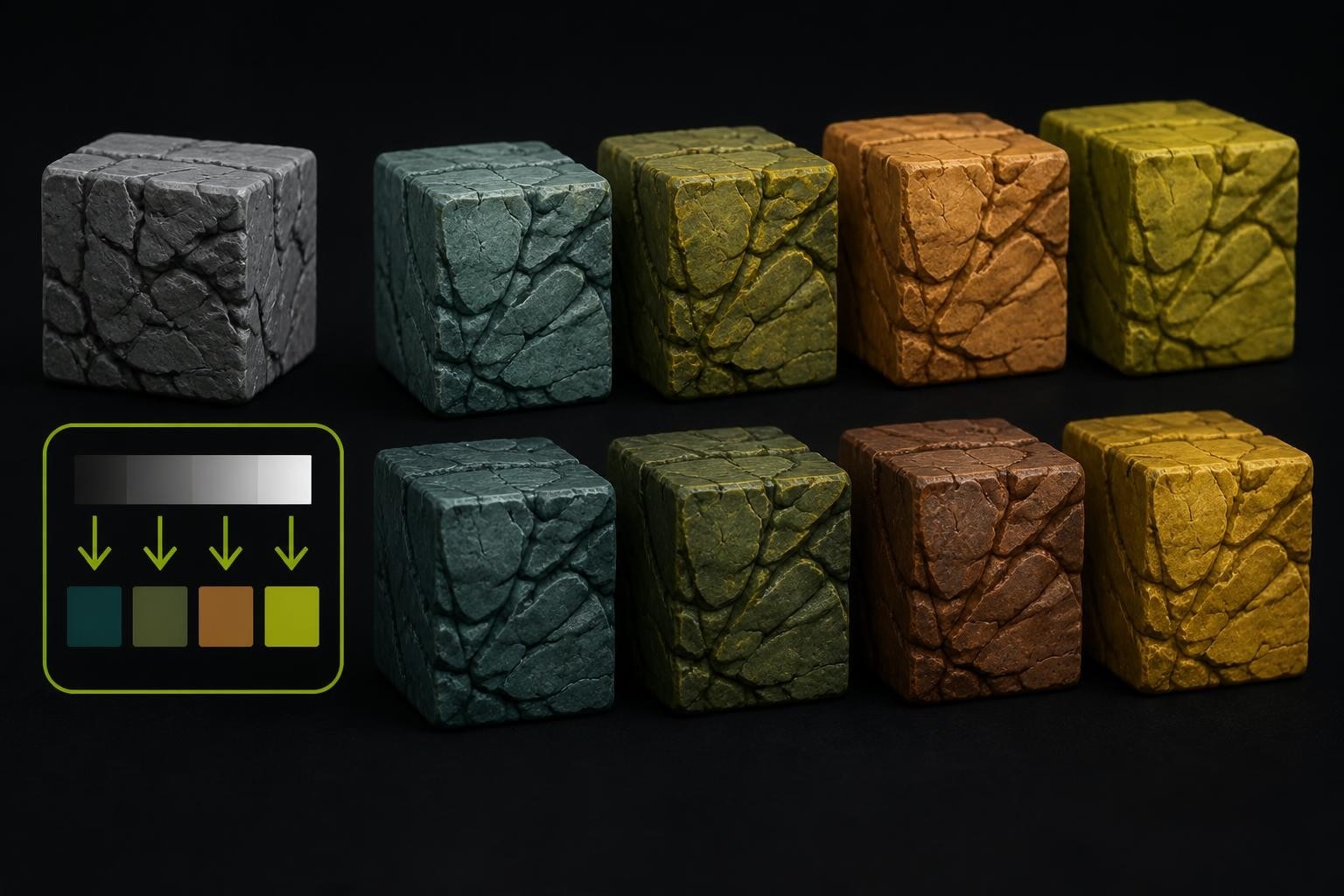
Gradient mapping transforms grayscale values into color ranges through a systematic replacement process that has become essential for stylized art, game development, and post-production workflows. This technique maps brightness information from an image or texture to specific colors along a gradient, creating cohesive color schemes and artistic effects without manually painting each pixel. For 3D artists working in game engines and modeling software, understanding gradient mapping unlocks efficient texturing workflows that reduce draw calls, maintain visual consistency, and enable rapid iteration on color palettes.
Understanding the Core Mechanics of Gradient Mapping
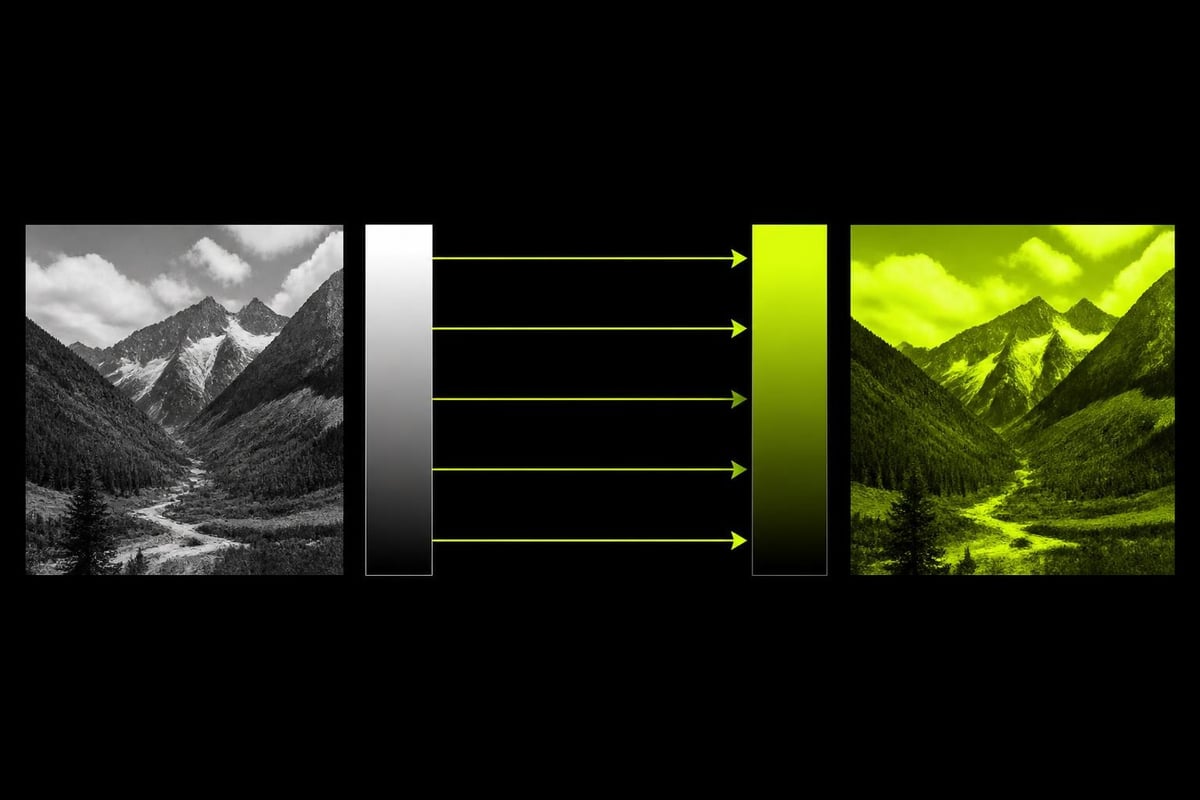
Gradient mapping operates on a fundamental principle: every pixel's luminosity value corresponds to a position on a gradient. Black pixels map to the leftmost gradient color, white pixels map to the rightmost color, and mid-tones receive interpolated values between these extremes. This creates a direct relationship between brightness and hue that remains consistent across an entire asset.
The technical implementation varies across software packages, but the underlying math remains constant. The system reads a pixel's grayscale value (typically 0-255 or 0.0-1.0), converts this to a percentage position along the gradient, then samples the color at that position. Gradient maps replace image brightness values with colors from a gradient, making them powerful tools for both subtle color grading and dramatic stylization.
Mathematical Foundation
The conversion process follows a straightforward formula:
Input Value → Normalized Position → Color Sample
A pixel with 50% brightness (128 in 8-bit) maps to the 50% position on your gradient. If your gradient runs from blue (#0000FF) to yellow (#FFFF00), that pixel becomes a blue-yellow mix. This deterministic relationship means adjusting the gradient instantly updates all mapped pixels, providing real-time visual feedback during the creative process.
Brightness Value | Gradient Position | Example Output (Blue→Yellow) |
|---|---|---|
0 (Black) | 0% | Pure Blue (#0000FF) |
64 (Dark Gray) | 25% | Blue-Cyan (#0040BF) |
128 (Mid Gray) | 50% | Cyan-Green (#007F7F) |
192 (Light Gray) | 75% | Yellow-Green (#BFBF40) |
255 (White) | 100% | Pure Yellow (#FFFF00) |
This predictable behavior makes gradient mapping ideal for technical art workflows where consistency across multiple assets matters more than individual pixel control.
Practical Applications in Game Development
Game developers leverage gradient mapping primarily for stylized rendering and palette-based texturing systems. Rather than storing full-color textures that consume significant memory, artists can store grayscale height maps or ID maps and apply gradient mapping at runtime or during export. This approach reduces texture memory footprint while maintaining visual quality.
Stylized Character Rendering
Many cel-shaded and NPR (non-photorealistic rendering) styles use gradient mapping to control how lighting affects surface color. A character might use a gradient from dark purple to bright yellow, creating shadow-to-highlight transitions that feel hand-painted rather than physically accurate. Using gradient maps in game engines like Godot demonstrates how shader-based implementations enable real-time color adjustments without texture rebaking.
The workflow typically involves:
Creating base geometry with proper topology for lighting
Baking ambient occlusion or curvature maps as grayscale
Applying gradient mapping through shaders or material systems
Iterating on gradient colors to match art direction
Optimizing for target platform performance
This process allows art directors to adjust the entire game's color palette by modifying gradient presets rather than repainting hundreds of textures.
Texture Palette Optimization
Mobile and indie developers often work with strict texture budget constraints. Gradient mapping enables a single grayscale texture to generate multiple color variations through different gradient applications. A rock texture can become desert sandstone, volcanic basalt, or frozen glacier stone by changing the applied gradient while reusing the same height and normal data.
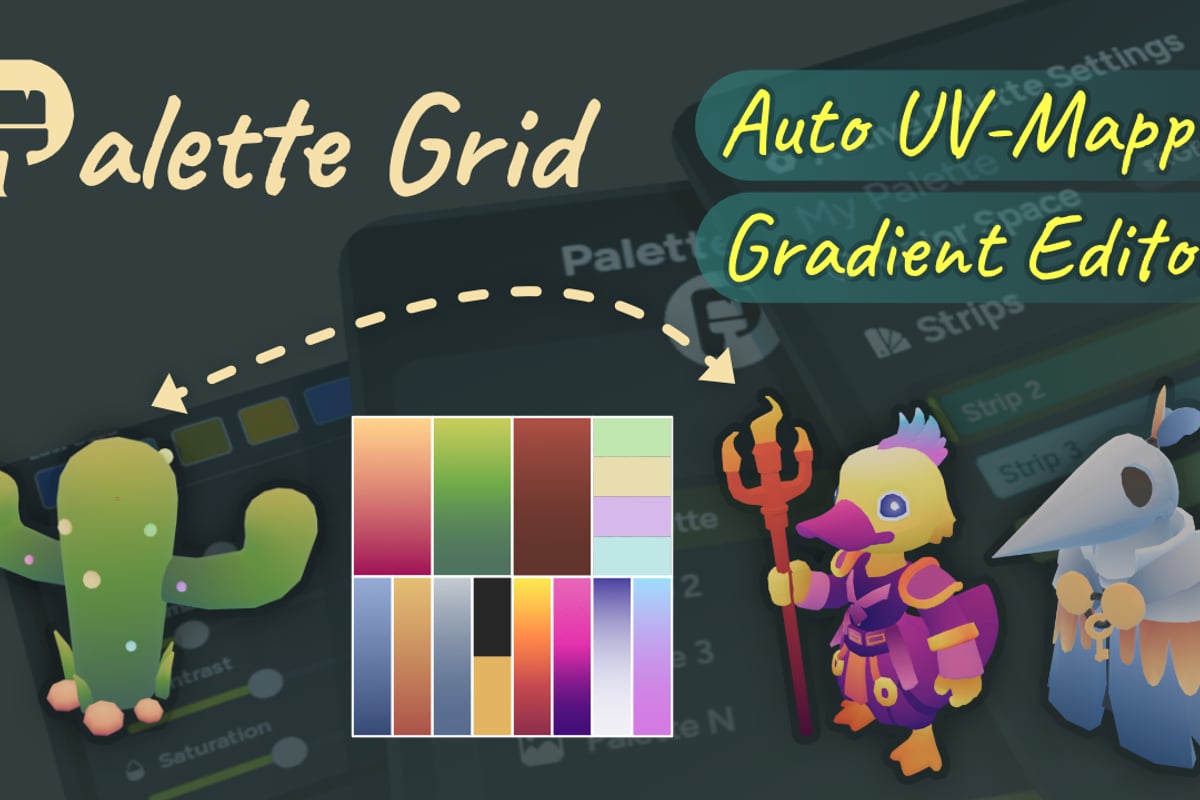
Palette Grid streamlines this workflow by letting artists build and edit gradient-based palette textures directly inside Blender without external tools. The addon handles the technical setup for creating gradient textures that sync live with mesh materials, eliminating the export-import cycle that traditionally slows down stylized texturing work. Artists can choose texture size, gradient direction, and color space, then watch changes propagate instantly across all instances.
Color Theory Considerations for Effective Gradients
Creating effective gradients for mapping requires understanding how human perception interprets color transitions. Not all gradients produce pleasing results when applied to complex luminosity data. Gradients that traverse too much of the hue spectrum can create muddy mid-tones, while gradients with insufficient contrast fail to differentiate detail in the source material.
Harmonic Color Relationships
Professional color grading typically employs gradients based on complementary or analogous color schemes. A sunset gradient might move from deep violet shadows through orange mid-tones to yellow highlights, following the natural color temperature curve of atmospheric scattering. This creates visual cohesion because the color relationships mirror familiar lighting conditions.
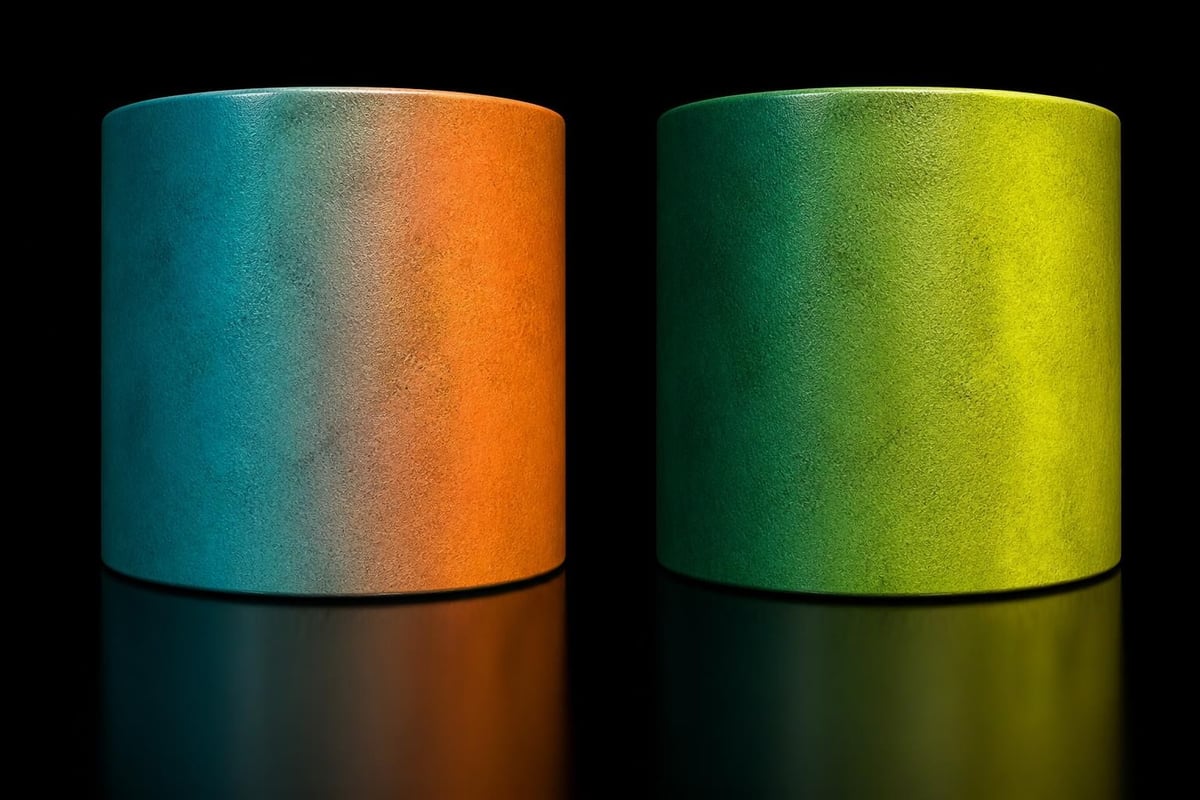
Complementary gradients (opposite hues on the color wheel) create high contrast and visual tension:
Blue to orange for thermal imagery effects
Purple to yellow for fantasy or magical aesthetics
Cyan to red for retro-futuristic styles
Analogous gradients (neighboring hues) produce smoother, more subtle transitions:
Yellow through orange to red for warmth
Blue through cyan to green for coolness
Purple through pink to red for vibrancy
The SavedPixel approach emphasizes tools built from real production problems rather than trends. This philosophy extends to gradient design: effective gradients solve specific visual problems rather than following stylistic fads. Understanding your project's needs determines whether you need subtle correction or bold stylization.
Technical Implementation Across Platforms
Different software packages implement gradient mapping with varying levels of control and integration. Understanding these differences helps artists choose appropriate tools and workflows for their production pipeline.
Blender Shader Implementation
Blender's shader nodes provide gradient mapping through the ColorRamp node combined with appropriate input data. Artists typically convert color information to luminosity using a ColorRamp set to grayscale, then pipe that into a second ColorRamp configured with the desired gradient. This node-based approach offers complete control over the mapping curve, allowing custom falloff shapes beyond linear interpolation.
The Blender documentation and community resources detail various approaches to gradient-based shading, from simple two-color ramps to complex multi-stop gradients with precise positioning. The shader system's flexibility allows real-time preview of gradient changes in the viewport, accelerating the iteration process.
Photoshop and 2D Applications
Image editors like Photoshop implement gradient mapping through adjustment layers that preserve non-destructive workflows. Gradient maps in Photoshop enable color toning by allowing artists to stack multiple gradient map layers with different blend modes and opacity settings. This layered approach creates complex color treatments impossible with single-pass mapping.
Professional photo editing workflows often combine gradient mapping with luminosity masks to apply different gradients to shadow and highlight regions independently. Using gradient maps for professional color grading demonstrates how cinematographers achieve specific film looks by carefully crafted gradient combinations.
Software | Primary Method | Live Preview | Undo Support | Export Format |
|---|---|---|---|---|
Blender | Shader Nodes | Yes | Full | Material/Texture |
Photoshop | Adjustment Layer | Yes | Full | Raster Image |
Substance | Generator/Filter | Yes | Full | Texture/Material |
Unity | Shader/LUT | Runtime | N/A | Built into build |
Unreal | Material Function | Editor | Full | Material Asset |
Advanced Techniques for Production Workflows
Beyond basic color replacement, gradient mapping enables sophisticated effects when combined with masking, blending, and procedural generation techniques. Production environments often develop custom tools and pipelines that leverage gradient mapping as a foundational component of larger systems.
Multi-Channel Gradient Systems
Advanced implementations store multiple grayscale maps in different texture channels, each mapped to separate gradients that blend together. An RGB texture might use the red channel for temperature variation, green for weathering, and blue for damage states. Each channel applies its gradient independently before final compositing, creating rich variation from compact data.
This approach proves particularly effective for:
Vegetation systems where height maps, wind influence, and seasonal color changes require independent control
Architectural materials combining dirt accumulation, age, and exposure weathering
Character customization allowing players to select color schemes for different armor components
Procedural environment generation where biome data drives gradient-based terrain coloring
Animated Gradient Transitions
Real-time applications can animate gradient parameters to create dynamic effects. A health indicator might shift its gradient from green-yellow-red based on current player status. Environmental storytelling can use gradient shifts to show time passage or supernatural events, smoothly transitioning the entire scene's color palette over seconds or minutes.
Performance and Optimization Strategies
Implementing gradient mapping efficiently requires understanding the performance characteristics across different platforms and use cases. Mobile devices, VR headsets, and web-based 3D applications each impose unique constraints that affect how gradient mapping should be deployed.
Runtime vs. Baked Approaches
Runtime gradient mapping evaluates the gradient during rendering:
Enables dynamic color changes without texture swapping
Increases shader complexity and GPU load
Allows user customization and seasonal events
Requires careful optimization for fill-rate limited scenarios
Baked gradient mapping applies gradients during export:
Produces standard texture maps compatible with all renderers
Eliminates runtime computation overhead
Locks color choices into final assets
Reduces iteration flexibility post-export
The choice depends on project requirements. Live service games benefit from runtime systems that enable content updates without full patches, while premium single-player experiences might prioritize performance through baked approaches.
Memory Budget Considerations
Gradient mapping trades computation for memory when implemented at runtime. A 2048×2048 RGB texture consumes 12MB uncompressed, while the equivalent grayscale map requires only 4MB. The gradient data itself occupies minimal space (typically under 1KB for a 256-color ramp), making the system highly efficient for projects with multiple color variations of shared base textures.
Projects targeting SavedPixel's production-focused tooling philosophy should measure actual performance impact through profiling rather than assumptions. Modern GPUs handle gradient mapping with negligible overhead, but vertex-heavy scenes or complex shader graphs can shift bottlenecks in unexpected ways.
Integration with Modern Rendering Pipelines
Contemporary rendering pipelines increasingly incorporate gradient mapping as a standard feature rather than a specialized effect. Physically-based rendering (PBR) workflows use gradient-mapped lookup tables (LUTs) for post-processing color grading, while stylized renderers build entire material systems around palette-based coloring.
PBR and Gradient Mapping Synergy
Even realistic rendering benefits from gradient mapping when applied to specific material properties. Subsurface scattering can use gradient-mapped thickness data to vary light transmission color through skin or leaves. Emission maps apply gradients to brightness data for varied glow effects on screens, lights, or magical elements.
The key lies in applying gradient mapping selectively rather than globally. A photorealistic character might use traditional PBR textures for skin and clothing while employing gradient-mapped emission for UI elements or supernatural effects integrated into the design.
Non-Photorealistic Rendering Applications
NPR styles built entirely around gradient mapping achieve distinctive visual signatures that separate them from photorealistic competition. Online tools for applying gradient maps demonstrate how quickly gradient mapping can transform ordinary footage into stylized animations matching specific aesthetic targets.
Game art styles ranging from cel-shaded action games to atmospheric puzzle experiences rely on carefully tuned gradients that reinforce narrative tone and visual clarity. The SavedPixel updates feed showcases how production tools evolve to meet these specific stylistic requirements through practical iteration rather than theoretical design.
Common Pitfalls and Solutions
Artists new to gradient mapping frequently encounter specific challenges that experienced practitioners have learned to anticipate and prevent through workflow refinement.
Banding and Posterization
Insufficient gradient resolution creates visible steps between colors instead of smooth transitions. This occurs when the gradient contains too few color stops or when the output texture uses limited bit depth. Solutions include:
Increasing gradient stops in mid-tone regions where human perception is most sensitive
Using dithering or noise to break up banding patterns
Rendering to higher bit-depth formats (16-bit or floating point)
Adding slight saturation variation along the gradient to reduce perceived steps
Unexpected Color Shifts
Linear interpolation between colors in RGB space often produces unexpected mid-tone hues. A gradient from blue to yellow naturally passes through gray rather than green because RGB blending doesn't follow perceptual color space. Working in LAB or HSV color spaces for gradient creation, then converting to RGB for final output, produces more intuitive results.
Professional colorists understand that gradient mapping requires attention to color space to achieve predictable results. The technical implementation affects artistic outcomes, making it essential to test gradients with representative content before committing to final values.
Loss of Detail in Extreme Values
Poorly designed gradients can crush detail in shadows or highlights when the gradient's color variation fails to maintain sufficient luminosity range. A gradient from dark blue to slightly less dark purple provides minimal value separation, causing shadow details to become indistinguishable. Monitoring the gradient's luminosity curve independently from hue prevents this issue.
Future Developments and Emerging Techniques
The gradient mapping landscape continues evolving as real-time rendering capabilities expand and artist demands for flexible workflows intensify. Several trends indicate where gradient mapping technology is heading in 2026 and beyond.
AI-Assisted Gradient Generation
Machine learning models trained on professional color grading examples can now suggest gradient presets based on source material characteristics and target aesthetic goals. These systems analyze luminosity distribution, content type, and style references to generate starting-point gradients that artists refine to final quality.
Procedural Gradient Modification
Modern material systems increasingly incorporate procedural variation into gradient mapping, where noise functions or geometric properties subtly shift gradient positions per-pixel. This creates organic variation that breaks up the uniform appearance of straight gradient mapping while maintaining overall color coherence.
The community discussions and feedback channels reveal strong interest in tools that balance technical power with artistic accessibility, suggesting future developments will focus on intuitive controls that hide complexity rather than exposing every parameter.
Gradient mapping transforms stylized texturing workflows by providing predictable, efficient color control that scales across entire projects. Whether you're developing indie games, creating stylized animations, or building production pipelines for larger teams, understanding gradient mapping fundamentals unlocks creative possibilities while maintaining technical efficiency. At Saved Pixel, we build tools that address real production challenges faced by working artists, from streamlined palette texturing to efficient retopology workflows, helping you spend less time fighting software and more time creating.