
 Get Palette Grid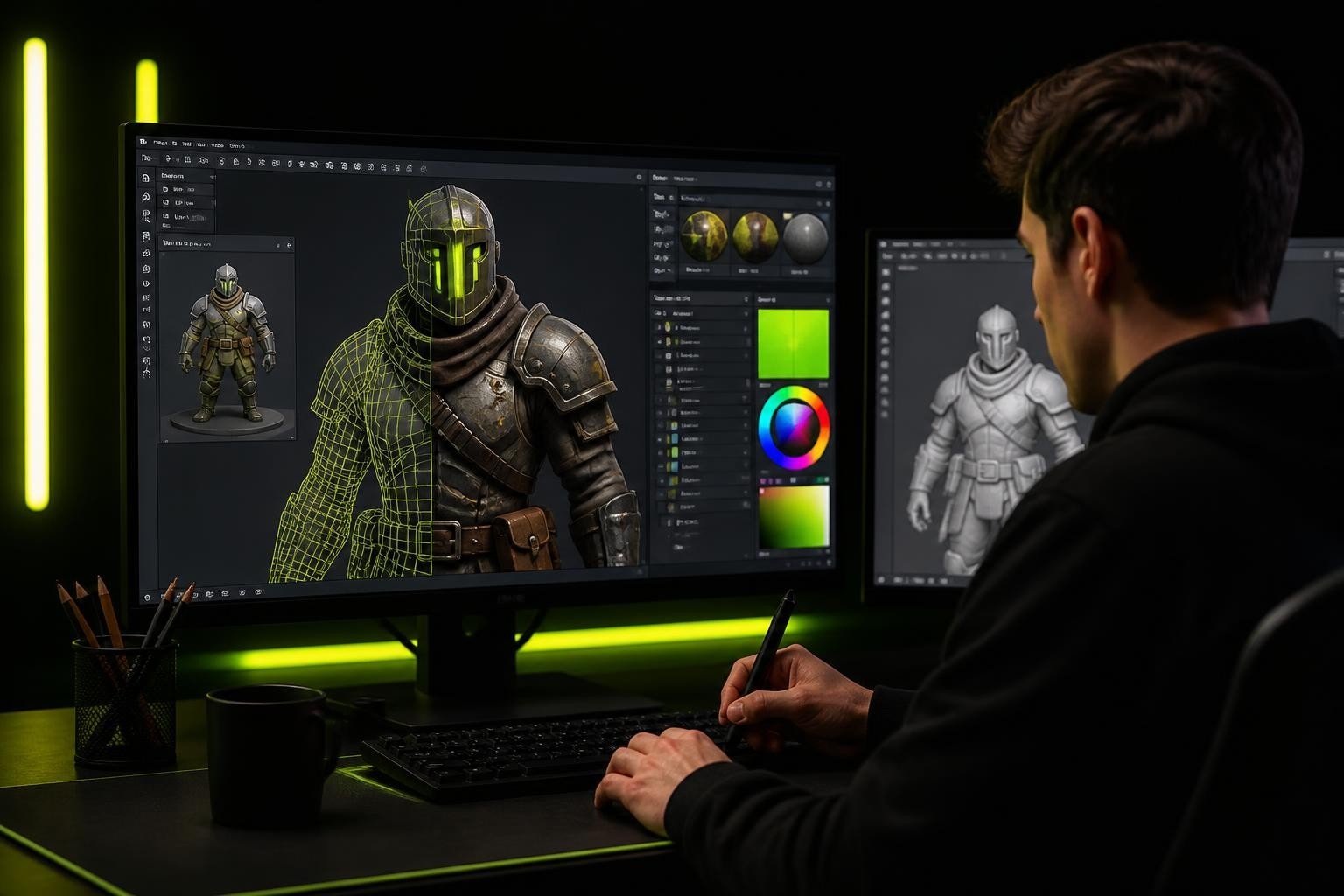
Blender continues to dominate the 3D software landscape in 2026, and for good reason. What makes Blender cool isn't just its price tag or frequent updates-it's the combination of production-ready tools, community-driven development, and workflows that adapt to real artist needs. From game developers optimizing asset pipelines to 3D generalists sculpting stylized characters, Blender delivers features that solve actual production problems rather than chasing trends.
What Makes Blender Cool for Production Artists
The term "blender cool" has evolved beyond marketing speak. Professional artists recognize that Blender's strength lies in its ability to handle complete production pipelines without forcing artists to jump between multiple applications. This integration saves time and reduces friction in creative workflows.
Real-Time Viewport Performance
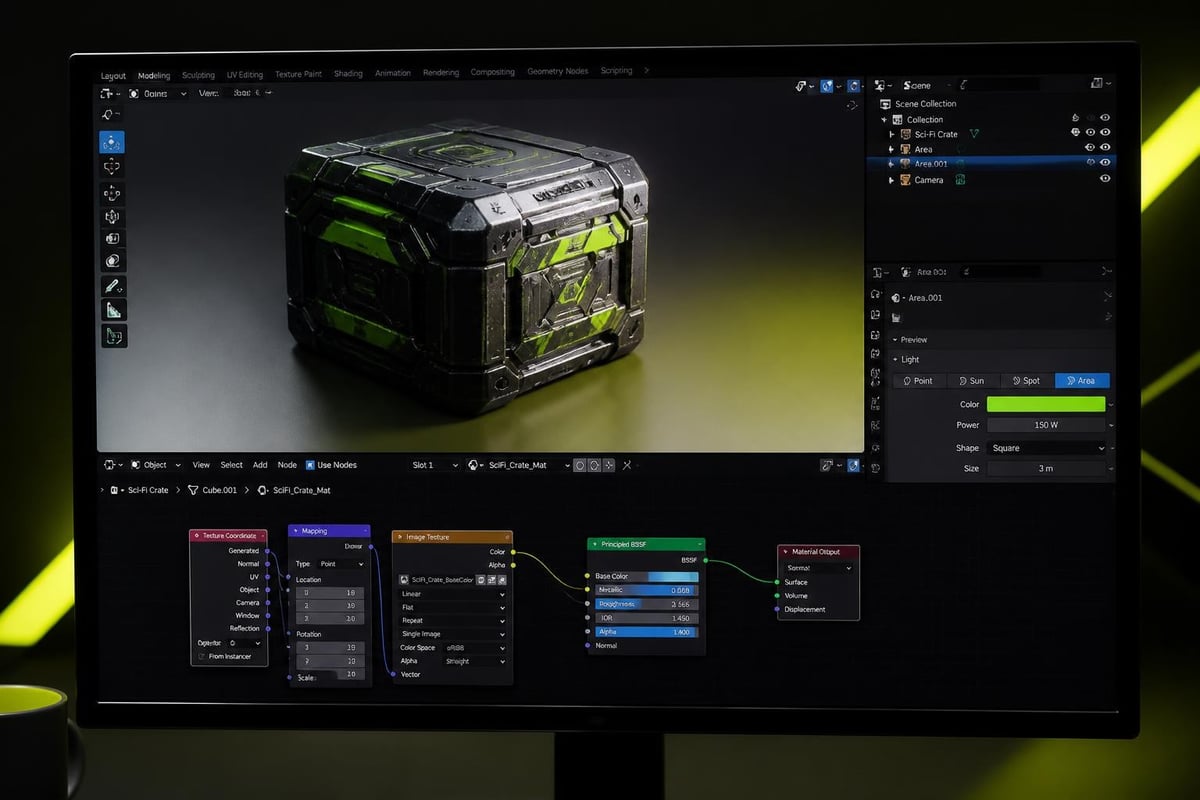
Blender's viewport rendering has become exceptionally fast in 2026. The Eevee Next engine delivers near-photorealistic results in real-time, allowing artists to make informed decisions without waiting for renders. This immediate feedback loop transforms how artists approach material creation, lighting, and composition.
For game developers, this means accurate representation of stylized materials and shaders during asset creation. Artists can see exactly how gradient palette textures will appear in-engine, reducing the guesswork that plagued earlier workflows.
Retopology Workflows That Actually Work
Traditional retopology has long been one of the most tedious tasks in 3D production. The vertex-by-vertex construction approach consumes hours that could be spent on creative work. Modern approaches to retopology focus on speed without sacrificing quality.
Stroke-Based Topology Control
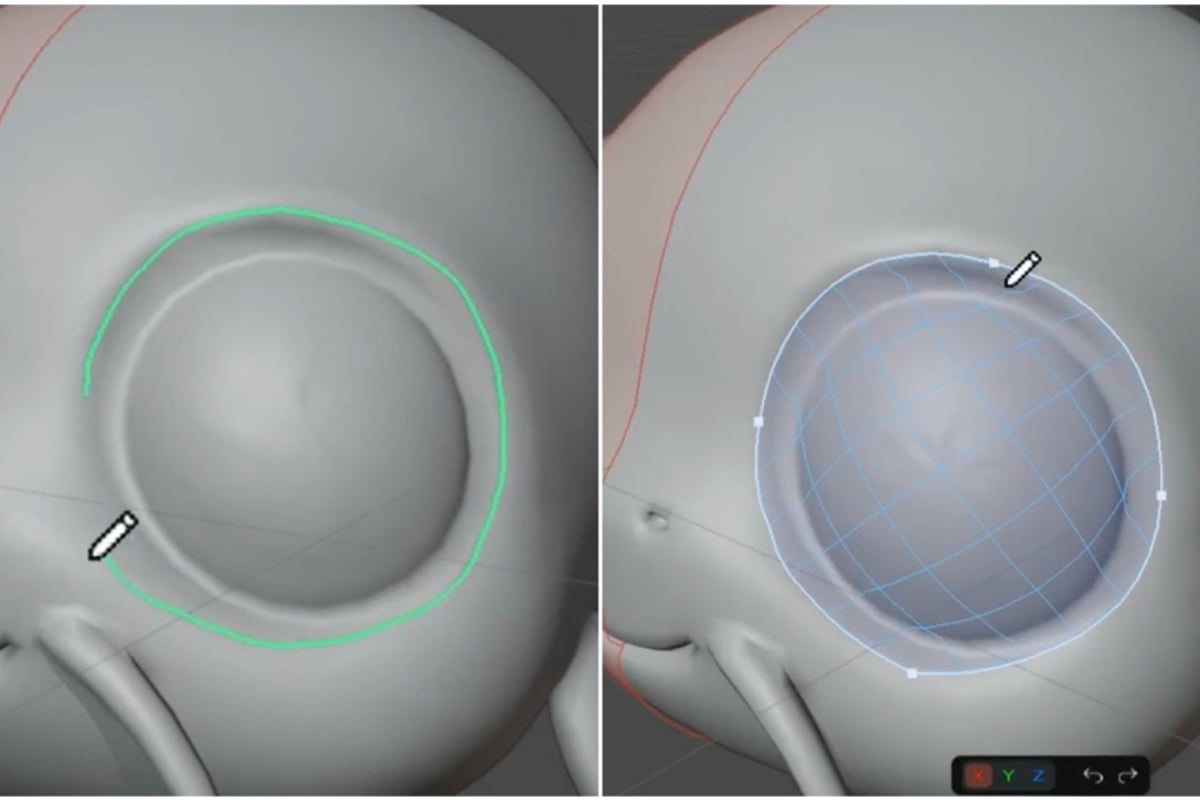
The concept of drawing topology rather than placing individual vertices represents a fundamental shift in how artists approach clean mesh creation. This approach lets artists focus on edge flow and quad topology structure rather than getting bogged down in micro-management.
Artists working on character assets for games need clean topology that deforms properly during animation. Traditional methods require meticulous vertex placement to achieve proper edge loops around joints and facial features. Stroke-based approaches reduce this time investment significantly while maintaining professional results.
If you're looking to speed up your retopology workflow, RetopoSketch transforms the process by letting you draw strokes that become editable vector paths and connected quad topology, giving you vector control over edge flow without vertex-by-vertex construction.
| Traditional Retopology | Stroke-Based Retopology |
|---|---|
| Manual vertex placement | Draw edge flow paths |
| Time-consuming iteration | Quick structural adjustments |
| Difficult to visualize flow | Immediate edge loop feedback |
| Limited undo granularity | Vector-level editing control |
Integration With Sculpting Workflows
The best retopology tools don't exist in isolation. They integrate seamlessly with high-poly sculpting workflows, allowing artists to move between detail sculpting and clean topology creation without breaking their creative momentum.
Modern Blender workflows leverage this integration by maintaining live connections between sculpt meshes and retopology layers. Artists can adjust underlying topology while seeing real-time updates on how the clean mesh captures the sculpted detail. This bidirectional workflow represents what makes blender cool for professional character artists.
Stylized Art Pipeline Optimization
Game developers working on stylized projects face unique challenges. Unlike photorealistic rendering, stylized art requires precise control over color, shading, and texture application. The pipeline needs to be both flexible and efficient.
Gradient Palette Texturing Advantages
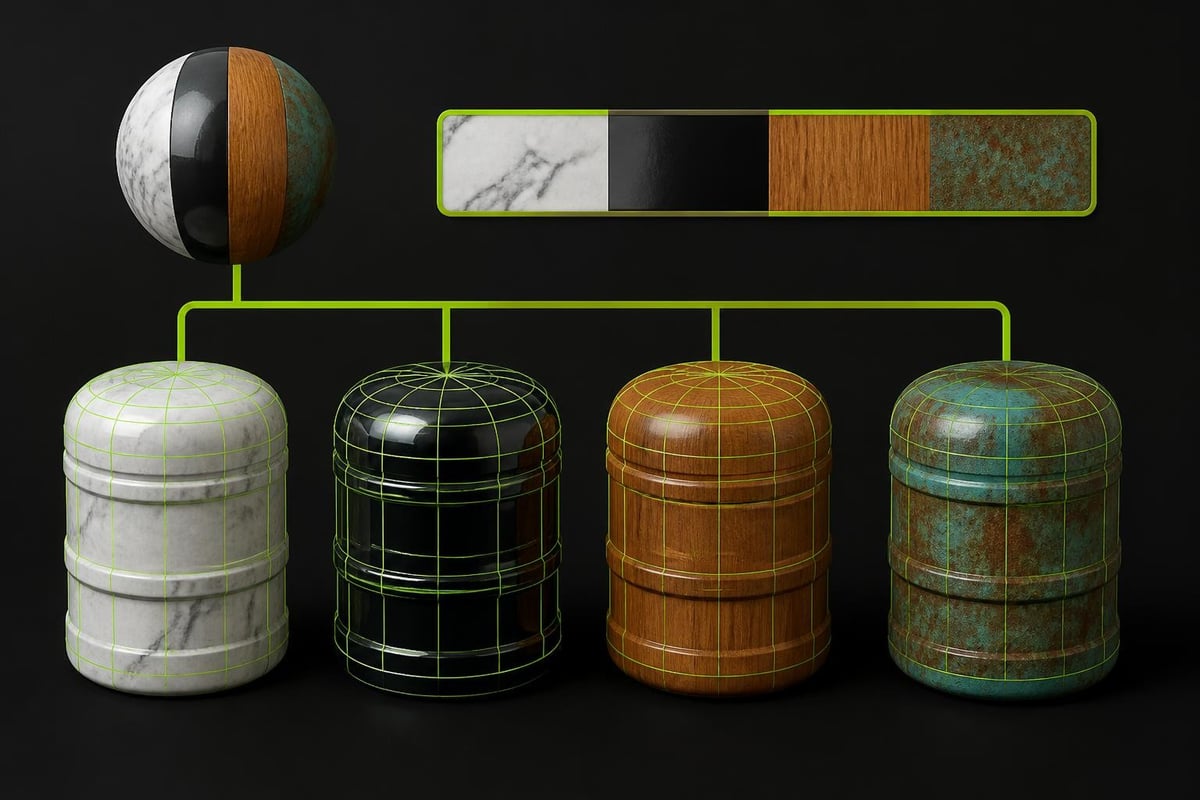
Stylized games often use gradient palette textures to achieve consistent art direction while minimizing draw calls. This technique allows multiple materials to share a single texture, significantly improving runtime performance.
The challenge has always been creating and editing these palette textures efficiently. External texture editors break the creative flow, forcing artists to export, edit, and reimport textures repeatedly. This workflow friction discourages experimentation and slows iteration.
Artists need tools that let them work directly within Blender, maintaining the creative momentum that defines productive sessions. Being able to edit palette textures without leaving the 3D viewport transforms how quickly artists can iterate on stylized looks.
Key benefits of integrated palette workflow:
- No export/import cycle delays
- Instant visual feedback on mesh
- Live color synchronization
- Reduced texture memory footprint
- Fewer draw calls in-game
Managing Texture Memory and Draw Calls
Performance optimization isn't just about polygon count. Texture memory and draw calls often become the bottleneck in stylized games, especially on mobile platforms or when targeting wide hardware compatibility.
Understanding how to reduce draw calls and texture memory becomes essential for shipping performant games. Palette texturing addresses both concerns simultaneously by consolidating multiple materials into shared texture resources.
This approach particularly benefits projects with large numbers of props and environmental assets. Instead of unique textures for every material variant, artists use a shared palette and adjust UV mapping to select different color ramps. The memory savings scale with asset count.
Advanced Material Control
What makes blender cool for technical artists is the node-based shader system. This visual programming approach gives artists unprecedented control over material behavior without requiring traditional coding skills.
Procedural Texture Generation
Procedural materials eliminate the need for bitmap textures in many scenarios. Noise nodes, Voronoi patterns, and wave textures can create complex surface variation entirely through math. This approach offers infinite resolution and tiny file sizes.
Game developers use procedural textures for variation layers that would otherwise require multiple texture sets. A single procedural noise pattern can drive color variation, roughness maps, and displacement simultaneously, creating rich surface detail from minimal data.
The combination of procedural generation and palette-based color mapping creates particularly efficient stylized workflows. Artists define color palettes precisely while using procedural patterns to drive variation and detail.
Shader Networks for Stylization
Stylized rendering often requires custom shader networks that deviate from physically-based rendering. Cel shading, rim lighting, and custom shadow falloffs all require specific node setups that artists refine over multiple projects.
Building reusable shader networks becomes essential for maintaining consistent art direction across assets. Understanding Blender's texturing capabilities helps artists create modular shader systems that adapt to different asset types while maintaining visual cohesion.
Common stylized shader components:
- Custom shadow ramp controls
- Rim light color and falloff
- Highlight positioning and intensity
- Outline generation methods
- Color palette sampling systems
UV Workflow Improvements
Efficient UV unwrapping remains crucial for game asset creation. Even when using palette textures or procedural materials, proper UV layouts ensure predictable results and easy texture editing.
Smart UV Projection Techniques
Blender's Smart UV Project feature has evolved to handle increasingly complex geometry. The algorithm analyzes mesh topology to create reasonable UV layouts with minimal manual intervention, perfect for rapid prototyping or background assets.
However, hero assets and characters still benefit from manual UV layout. The combination of automated tools for initial layouts and manual refinement for critical areas represents the practical middle ground that production artists adopt.
| UV Technique | Best For | Limitation |
|---|---|---|
| Smart UV Project | Props, environment | Less control over seams |
| Cube/Sphere Projection | Simple geometric shapes | Distortion on complex forms |
| Manual unwrapping | Characters, hero assets | Time-intensive |
| Live unwrap | Organic forms | Requires clean topology |
Palette Texture UV Strategy
When working with gradient palette textures, UV strategy differs from traditional texturing approaches. Instead of unwrapping to fill UV space efficiently, artists map specific sections to precise gradient strips within the palette texture.
This technique requires understanding the relationship between UV coordinates and palette texture layout. Artists often create specialized UV layouts where different mesh sections align to different gradient strips, enabling multi-material looks from a single texture resource.
The comparison between trim sheets, texture atlases, and palette textures reveals how each approach serves different production needs. Palette textures excel when color variation matters more than surface detail.
Modifier Stack Efficiency
Blender's modifier system enables non-destructive workflows that preserve creative flexibility throughout production. Understanding modifier order and interaction separates beginners from production-ready artists.
Array and Mirror Workflows
Symmetric modeling using mirror modifiers accelerates asset creation while ensuring perfect symmetry. Combined with array modifiers, artists can create complex repeating structures from simple base geometry.
Game environment artists particularly benefit from these techniques when building modular architecture systems. A single wall section becomes an entire building facade through strategic array modifier application.
The key to efficient modifier workflows lies in maintaining clean base geometry. Poor topology at the base level compounds through the modifier stack, creating problems that become increasingly difficult to fix downstream.
Subdivision Surface Control
Subdivision surface modifiers enable artists to work with manageable polygon counts while achieving smooth results. Control loops and edge creases give precise control over where the subdivision algorithm adds detail.
For game assets, artists often use subdivision during creation but apply the modifier and optimize the mesh before export. This workflow provides the sculpting benefits of smooth surfaces during creation while delivering optimized geometry for real-time rendering.
Subdivision workflow best practices:
- Add control loops only where needed
- Use edge crease weights for hard edges
- Consider final polycount early
- Plan subdivision levels for LOD creation
- Test deformation before applying
Addon Ecosystem and Customization
The addon ecosystem represents a major factor in what makes blender cool for specialized workflows. Artists can extend Blender's capabilities to match specific production needs without waiting for core development cycles.
Production-Focused Tools
The best addons solve real production problems rather than adding novelty features. Tools built by working artists tend to address workflow friction points that emerge during actual project work, not theoretical use cases.
Artists should evaluate addons based on integration quality and specific workflow improvements. Does the tool reduce repetitive tasks? Does it integrate cleanly with existing workflows? Does it solve a problem you actually encounter in production?
The best Blender addons for stylized and low-poly work in 2026 focus on workflow acceleration rather than feature bloat. Production artists value tools that disappear into the workflow, becoming natural extensions of Blender's core functionality.
Custom Tool Development
For studios with specific pipeline requirements, custom addon development becomes viable. Blender's Python API provides extensive access to core functionality, enabling technical artists to create specialized tools that match exact production needs.
Even simple custom operators that automate repetitive tasks can save significant time across a project. A script that applies consistent material settings across multiple objects or standardizes naming conventions might seem trivial but compounds efficiency gains across the team.
Performance Optimization for Large Scenes
As projects scale, scene management and performance optimization become critical. What works for a single character quickly breaks down when managing full game levels or complex environmental assemblies.
Instance Management
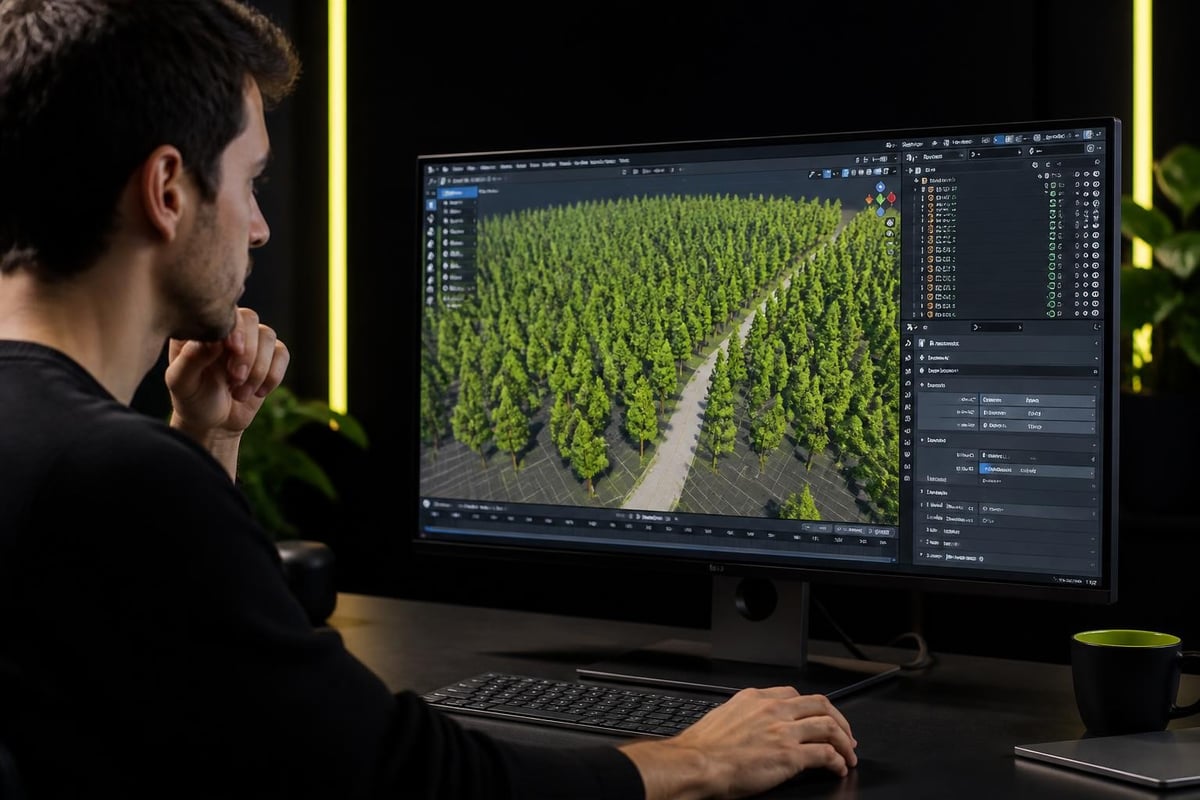
Instancing allows artists to place thousands of objects while maintaining viewport performance. Grass, rocks, background buildings, and other repeating elements benefit enormously from instance-based workflows.
Blender's collection instance system enables hierarchical organization where entire sub-assemblies can be instanced and modified non-destructively. Changes to the source collection automatically propagate to all instances, maintaining consistency across large environments.
Viewport Display Optimization
Artists working on complex scenes need strategies for maintaining interactive viewport performance. Display simplification, selective visibility, and render layer organization all contribute to manageable working conditions.
Viewport performance strategies:
- Use bounding box display for background elements
- Organize objects into collections by visibility needs
- Disable overlays when working on specific tasks
- Use local view to isolate working areas
- Reduce subdivision preview levels during modeling
Asset Library Integration
Reusable asset libraries transform production efficiency. Rather than rebuilding common elements for each project, artists build libraries of tested, optimized components that integrate quickly into new scenes.
Building Reusable Components
Effective asset libraries require standardization. Consistent naming conventions, material setups, and scale relationships ensure assets integrate predictably into new projects. This upfront organization investment pays dividends across multiple productions.
Game developers benefit from categorizing assets by gameplay role, polycount tier, and material complexity. This metadata helps artists quickly locate appropriate assets when building levels or prototyping mechanics.
The relationship between asset libraries and workflow efficiency extends beyond simple reuse. Well-organized libraries encode production knowledge, capturing technical decisions and optimization strategies that newer team members can leverage.
Cross-Project Consistency
Asset libraries enforce visual consistency across projects or within expanded game universes. When multiple artists draw from the same library, the resulting work shares fundamental visual characteristics even if individual artistic styles differ.
This consistency becomes particularly valuable for ongoing game development where new content must match established art direction. Rather than manually matching previous work, artists use library assets as starting points or reference standards.
Learning Resources and Community
The Blender community represents a significant factor in the software's continued growth and relevance. Free tutorials, active forums, and open development processes create an ecosystem where knowledge sharing accelerates everyone's growth.
Production-Focused Education
The best learning resources focus on production context rather than isolated features. Understanding why professionals choose specific workflows matters as much as knowing how to execute them technically.
Artists should seek education that explains decision-making processes alongside technical execution. Why does this character topology work for animation? Why did the artist choose this UV layout? These context questions build judgment that transfers across projects.
Community Tool Development
Open development means community members can contribute to Blender's evolution. This creates a feedback loop where working artists influence development priorities based on actual production needs.
The accessibility of development also means bug fixes and feature requests get addressed by the people who encounter the problems. This responsiveness keeps Blender aligned with real-world workflows in ways that proprietary software often struggles to match.
Integration With Game Engines
For game developers, Blender's value depends partly on integration quality with target engines. Export formats, material translation, and animation compatibility all affect pipeline efficiency.
Export Workflow Optimization
Modern game engines support glTF and FBX formats that preserve most Blender data. Understanding what translates automatically and what requires manual conversion helps artists build assets that export cleanly on the first attempt.
Material systems present the biggest translation challenge. Blender's node-based materials rarely translate directly to engine shaders, requiring artists to rebuild materials in the target engine or use intermediate formats that approximate the Blender appearance.
Export checklist for game assets:
- Apply modifiers before export
- Check mesh scale matches engine requirements
- Verify material naming conventions
- Test animation rig compatibility
- Confirm texture paths for embedded textures
- Validate collision mesh export
Runtime Performance Considerations
Artists must design assets with runtime performance in mind from the start. Decisions about polygon distribution, texture resolution, and material complexity all impact game performance.
Understanding these constraints helps artists make informed tradeoffs. A character might need denser topology around joints for clean deformation but can use simpler geometry on the torso. Knowing which areas matter most guides efficient polygon budgeting.
Blender's continued evolution in 2026 reflects a software ecosystem that listens to working artists and prioritizes real production needs over feature checklists. From retopology workflows to stylized texturing, the tools that make blender cool are the ones that eliminate friction and accelerate creative work. If you're building production tools for game development or 3D art, Saved Pixel offers addons designed from real workflow problems, helping you work faster without compromising quality.