 Get Palette Grid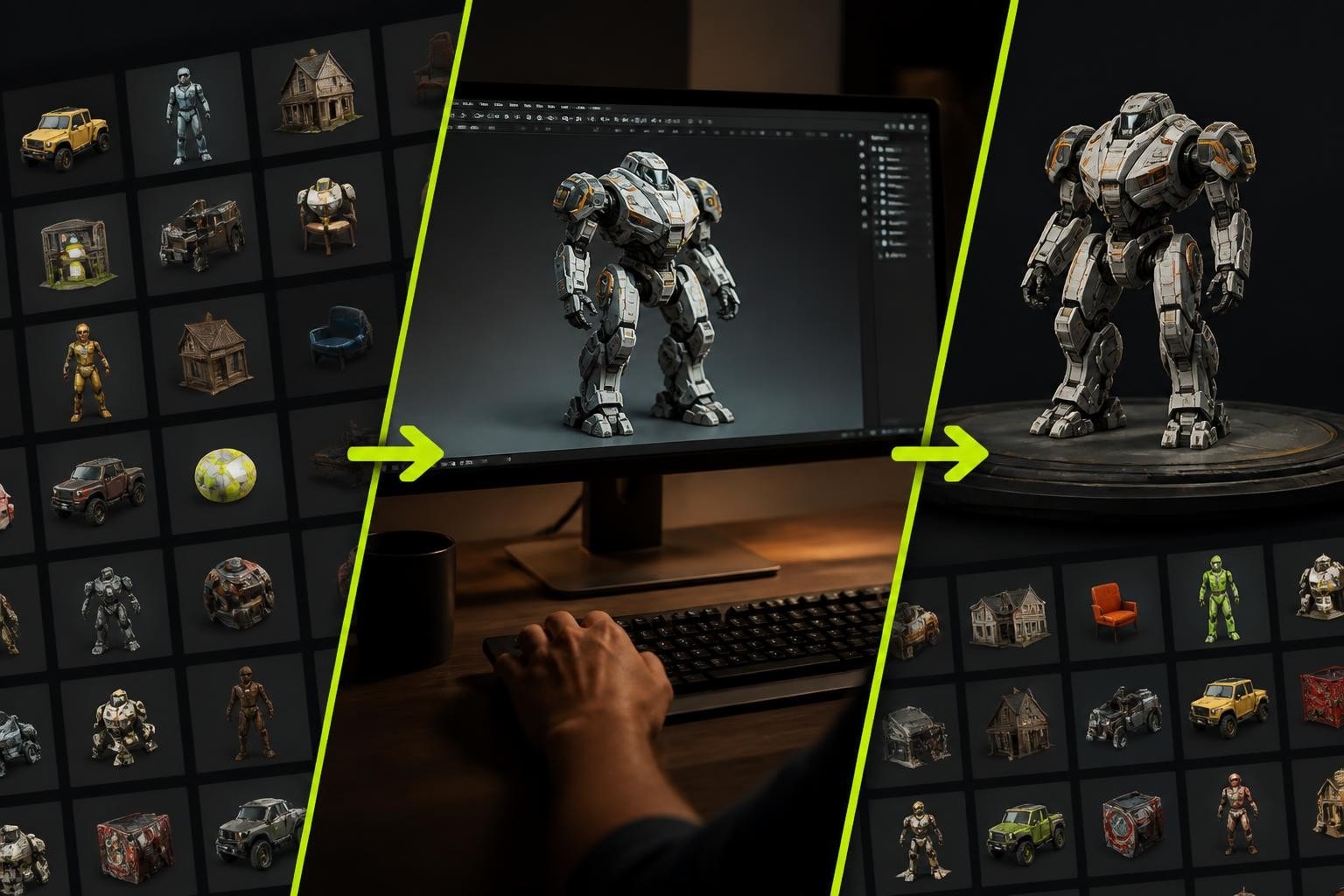
The Sketchfab Blender addon bridges the gap between one of the world's largest 3D model platforms and the most powerful open-source 3D software available today. For game developers, 3D generalists, and artists working in production environments, this integration eliminates the tedious export-download-import cycle and provides direct access to millions of community-created assets. Whether you're sourcing reference models, publishing portfolio pieces, or integrating photogrammetry scans into your workflow, understanding how to leverage this addon efficiently can save hours of production time and open new creative possibilities.
What the Sketchfab Blender Addon Actually Does
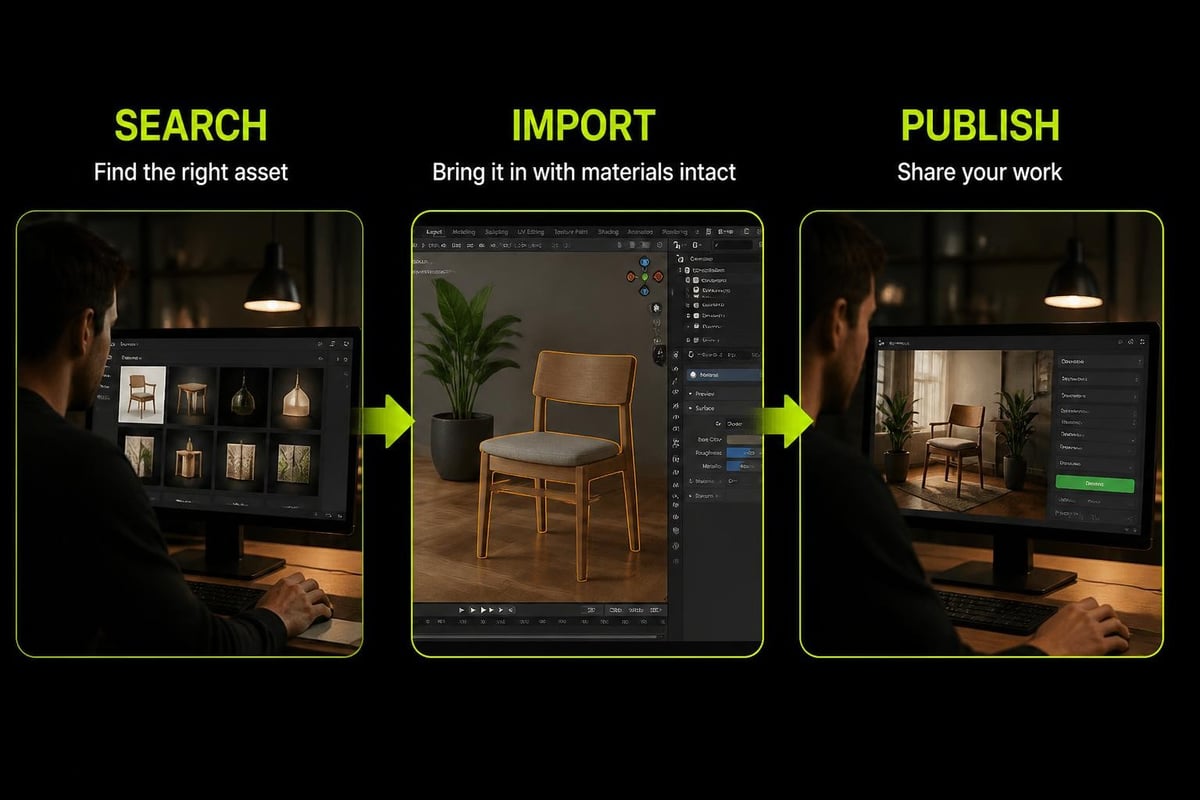
The sketchfab blender addon functions as a two-way bridge between Blender and the Sketchfab platform. On the import side, it enables artists to search Sketchfab's library of over 4 million models, preview them within Blender's interface, and download assets directly into their scene with proper material assignments and texture paths. On the export side, it handles the entire upload process including model optimization, material conversion, and metadata assignment without leaving the 3D viewport.
This direct integration matters because manual workflows introduce friction at every step. Traditional methods require exporting from Blender, navigating web interfaces, managing file downloads, re-importing with broken material links, and manually reconnecting texture paths. The addon collapses this multi-step process into single-click operations.
Key capabilities include:
- Direct search and browse of Sketchfab's library from Blender's UI
- One-click import with automatic material and texture setup
- Batch export of multiple objects with individual settings
- License filtering to ensure proper usage rights
- Format conversion handled automatically during upload
- Version tracking for published models
The addon was the first commercial add-on bundled with Blender, marking a significant milestone in Blender's evolution from isolated software to a connected ecosystem.
Installing and Setting Up the Addon
Installation varies slightly depending on your Blender version, but the core process remains consistent across releases. The official GitHub repository maintains the most current version with detailed installation instructions for Blender 2.8 through 4.0 and beyond.
Manual Installation Process
- Download the latest release ZIP file from GitHub (do not unzip it)
- Open Blender and navigate to Edit > Preferences > Add-ons
- Click "Install" in the top-right corner
- Navigate to your downloaded ZIP file and select it
- Enable the addon by checking the box next to "Import-Export: Sketchfab"
- Enter your Sketchfab API token in the addon preferences
Obtaining your API token requires a Sketchfab account. After logging in, navigate to your account settings, select "Password & API," and generate a new token. This token authenticates your Blender installation with your Sketchfab account, enabling uploads and access to private models.
Version Compatibility Updates
The addon development team maintains active compatibility with new Blender releases. Blender 3.0 support was added shortly after that version's release, and subsequent updates have ensured functionality through Blender 4.0 with import fixes. For production environments, verify compatibility before upgrading Blender versions mid-project.
| Blender Version | Addon Support Status | Key Features |
|---|---|---|
| 2.8 - 2.9 | Fully supported | Basic import/export |
| 3.0 - 3.2 | Fully supported | Enhanced material handling |
| 3.3 - 3.6 | Fully supported | Performance improvements |
| 4.0+ | Fully supported | Import bug fixes, API updates |
Importing Models from Sketchfab
The import workflow starts with the search interface accessible from Blender's sidebar (press N if hidden, then navigate to the Sketchfab tab). The search functionality includes filters for license type, polygon count, animation status, and PBR material support.
Search filters worth using regularly:
- Downloadable: Ensures model owner permits downloads
- License type: CC-BY, CC0, or commercial use allowed
- Animated: Shows only rigged and animated models
- PBR materials: Models with physically-based rendering textures
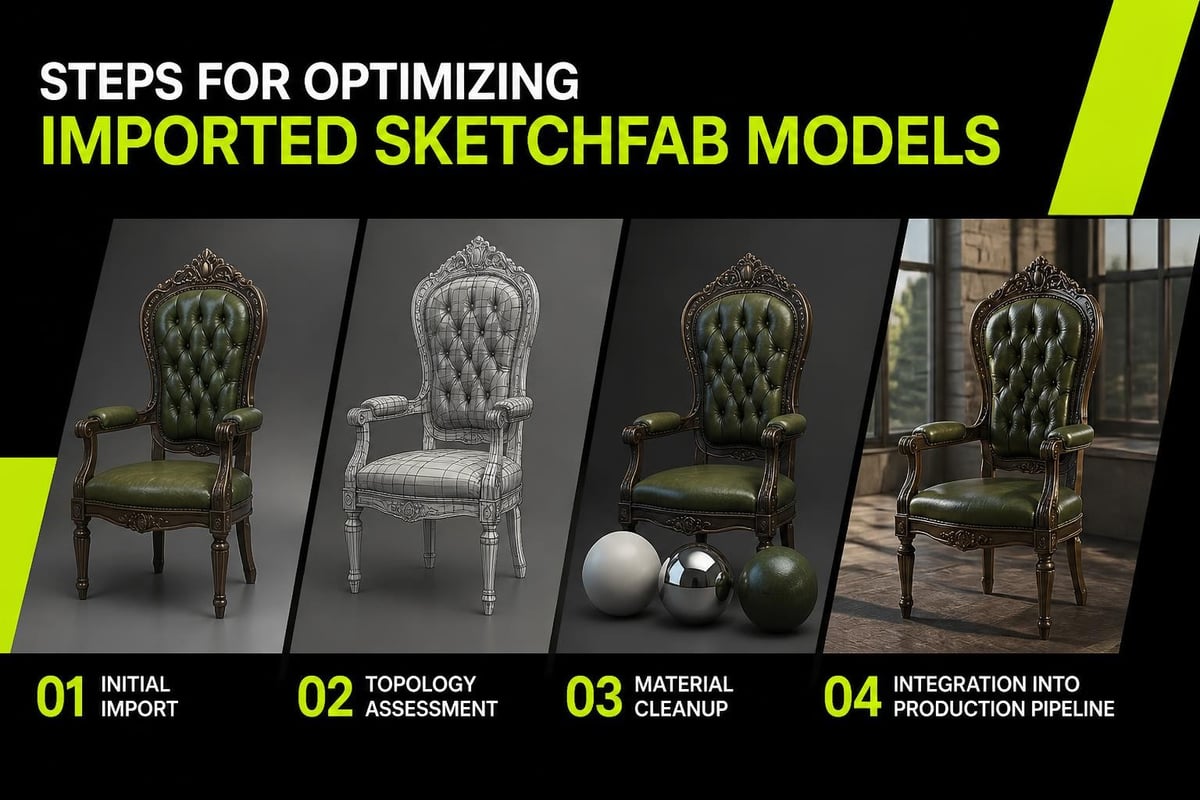
After locating a suitable model, the import process downloads the asset in its original format (typically GLB or FBX) and converts it to Blender's internal structure. Materials are automatically created with texture nodes connected properly, assuming the original upload included proper material data.
Import Settings That Matter
Before clicking import, review the settings panel. Scale adjustment matters significantly because Sketchfab models come from diverse sources with inconsistent unit systems. A model uploaded in centimeters will appear tiny if imported directly into a Blender scene set to meters.
The material import option determines whether to use Blender's Principled BSDF or attempt to preserve the original Sketchfab material setup. For production work, Principled BSDF typically provides more predictable results and better integration with existing scene lighting.
For game development workflows, imported models often require optimization. The initial import serves as a starting point for retopology work, material simplification, and LOD generation.
Exporting and Publishing Your Work
The export side of the sketchfab blender addon handles the complexity of preparing models for web-based 3D viewing. Sketchfab's platform supports real-time rendering with limitations compared to offline renderers like Cycles or Eevee, so the export process includes automatic optimization steps.
Pre-Export Preparation
Before uploading, verify your model meets basic requirements. Apply all modifiers, ensure materials use supported node setups, and bake any procedural textures to image textures. The addon attempts automatic conversion, but manual preparation produces cleaner results.
Texture size significantly impacts upload time and viewer performance. Models intended for detailed close-ups can justify 4K textures, but most portfolio pieces work well with 2K or even 1K maps. For stylized work using palette textures, file sizes remain minimal regardless of texture resolution.
Recommended export settings:
- Format: GLB for best compatibility
- Vertex limit: Under 100K for smooth web performance
- Texture resolution: 2K maximum for most use cases
- Material complexity: Keep node trees simple and avoid custom OSL shaders
The Upload Process
From the Sketchfab panel, select objects to upload (multiple selection supported), add a title and description, choose license type, and initiate the upload. The addon handles file compression, format conversion, and thumbnail generation automatically.
After upload completes, the model enters Sketchfab's processing queue. Processing time varies based on complexity but typically completes within 5-10 minutes. Once processed, you can access the model's settings on Sketchfab to adjust lighting, add annotations, enable AR viewing, and configure viewer controls.
Common Workflow Scenarios
Different production contexts require different approaches to the sketchfab blender addon. Understanding these patterns helps integrate the tool efficiently rather than forcing it into incompatible workflows.
Reference and Inspiration Gathering
Many artists use Sketchfab's library as a reference source during early project phases. Importing multiple models to study edge flow, UV layouts, or material approaches provides tangible examples beyond static images. This workflow benefits from Blender's linked library system-import models into a reference blend file, then link that file into working projects.
Photogrammetry Integration
Sketchfab hosts extensive photogrammetry collections, particularly 3D scans of real-world locations and objects. Cleaning up 3D scans in Blender typically requires retopology, texture baking, and significant geometry reduction. Importing scans directly through the addon provides immediate access to source geometry without download management hassles.
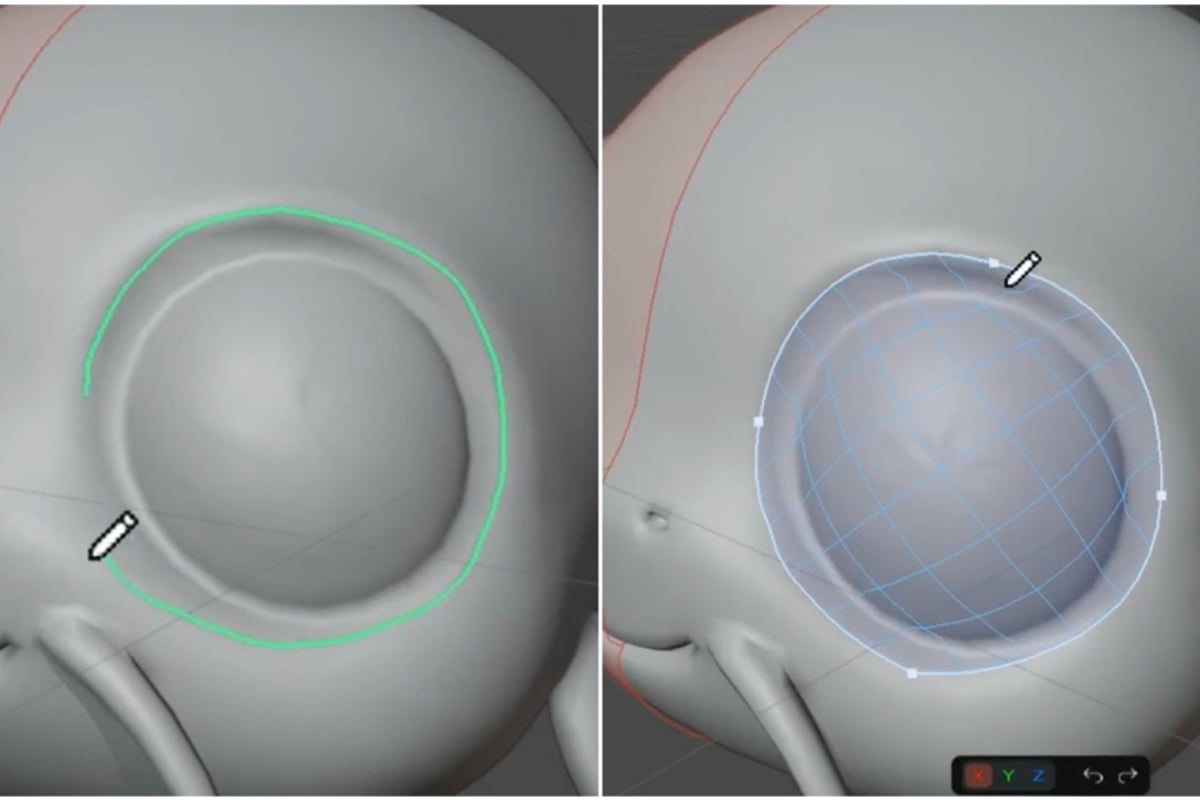
For retopology specifically, tools built from production experience rather than academic exercises make the difference between tedious vertex-pushing and efficient quad creation. RetopoSketch approaches this problem by turning retopology into sketching-draw strokes on the surface and they become editable vector paths with connected quad topology. Vector control over edge flow without vertex-by-vertex construction saves substantial time when converting high-resolution scans into game-ready assets.
Portfolio Publishing
For artists building online portfolios, consistent publishing workflows matter. Create a dedicated Blender file with standardized lighting, camera angles, and export settings. Import models into this file, position them appropriately, and use the addon's batch export to maintain visual consistency across portfolio pieces.
Performance Considerations and Limitations
The sketchfab blender addon introduces dependencies on both Sketchfab's servers and your internet connection. Import speeds vary based on model size and network bandwidth. Large models with hundreds of megabytes of texture data take minutes to download even on fast connections.
Performance factors to monitor:
- Network latency affects search responsiveness
- Large texture sets increase import time significantly
- Batch operations can timeout on slow connections
- API rate limits may affect rapid sequential operations
The addon caches downloaded models locally, so repeatedly importing the same asset doesn't require re-downloading. Cache location is configurable in addon preferences.
Material Conversion Quirks
Not all Sketchfab materials translate perfectly to Blender. The platforms use different rendering engines with different capabilities. Custom shaders, specialized effects, and platform-specific features often require manual reconstruction after import.
Transparency handling particularly shows inconsistencies. Sketchfab's real-time engine uses different alpha blending modes than Blender. Models that appear correct on Sketchfab may show rendering artifacts in Blender until material settings are adjusted manually.
Advanced Tips for Production Environments
Professional pipelines demand reliability and repeatability. The sketchfab blender addon supports both through scripting and automated workflows.
Scripting Imports
Blender's Python API exposes addon functionality for automated imports. This enables batch processing scenarios like importing multiple related models, automated license verification, or integration with asset management systems.
import bpy

# Access addon operators through bpy.ops
# Enable scripted imports for pipeline automation
License Management
Respecting creator rights and license terms matters legally and ethically. The addon displays license information during search, but tracking licenses across multiple imported models requires discipline. Maintain a spreadsheet or database linking imported models to their licenses, especially for commercial projects.
| License Type | Commercial Use | Attribution Required | Modifications Allowed |
|---|---|---|---|
| CC0 | Yes | No | Yes |
| CC-BY | Yes | Yes | Yes |
| CC-BY-SA | Yes | Yes | Yes (same license) |
| Personal | No | Varies | Varies |
Integration with Broader Blender Workflows
The sketchfab blender addon works alongside other tools and addons. Understanding these interactions prevents conflicts and enables more sophisticated workflows.
For texture-heavy models, gradient texturing approaches offer alternatives to traditional UV mapping. For game assets specifically, combining imported base meshes with palette texture workflows reduces memory footprint while maintaining visual appeal.
When working with imported character models, rigging and animation workflows benefit from standardized approaches. The addon imports existing rigs when available, but imported armatures often require cleanup before animation work begins.
Complementary Addon Ecosystem
No single addon solves all production problems. The sketchfab blender addon excels at asset acquisition and sharing but doesn't address modeling, texturing, or rendering challenges directly. Building an effective addon collection means selecting tools that complement each other without overlap.
For artists exploring various plugins, understanding what makes a plugin genuinely useful versus trendy but impractical helps curate an efficient toolkit. Tools built from real production problems rather than theoretical scenarios integrate more naturally into working pipelines.
Troubleshooting Common Issues
Even well-maintained addons encounter problems. Knowing where to look accelerates resolution.
Frequent issues and solutions:
- Import fails silently: Check console for API errors, verify internet connection, confirm valid API token
- Materials appear black: Texture paths may be broken, check if textures downloaded successfully
- Upload stalls: Large files may timeout, try reducing texture resolution or polygon count
- Search returns no results: API connection problem or Sketchfab server issue, try again later
The addon's GitHub repository hosts the issue tracker where developers and community members discuss problems and solutions. Before reporting new issues, search existing tickets-many common problems have documented solutions.
Version-Specific Problems
Each Blender version update risks breaking addon compatibility. When new Blender releases arrive, wait for addon updates before upgrading production installations. Test new versions in isolated environments first.
For critical production work, maintain a stable Blender version with tested, compatible addons rather than chasing the latest features immediately.
The Future of Platform Integration
As Blender continues gaining industry adoption, platform integrations like the sketchfab blender addon become increasingly important. The trend toward connected workflows, cloud libraries, and collaborative tools shows no signs of slowing.
Future developments will likely expand on current capabilities with improved material conversion, better performance optimization, and tighter integration with Blender's asset browser. The addon's open development model means community contributions drive many improvements.
For artists building careers in 3D production, understanding how to leverage platform integrations efficiently provides competitive advantages. Direct access to millions of reference models, streamlined publishing workflows, and reduced asset management overhead all contribute to faster iteration and higher-quality output.
The sketchfab blender addon represents one piece of a larger ecosystem. Combined with purpose-built tools for specific production challenges, it enables workflows that were impractical just a few years ago. As both Blender and Sketchfab continue evolving, this integration will remain relevant for artists prioritizing efficiency without sacrificing creative control.
Efficient 3D workflows depend on tools that solve real production problems rather than adding complexity for its own sake. The Sketchfab Blender addon streamlines asset acquisition and sharing, but production pipelines require purpose-built solutions for specific challenges like retopology and texturing. At Saved Pixel, we build addons from actual production experience-tools that eliminate bottlenecks rather than follow trends. Whether you're optimizing game assets or building stylized art, our focus stays on practical solutions that save time without compromising quality.