
 Get Palette Grid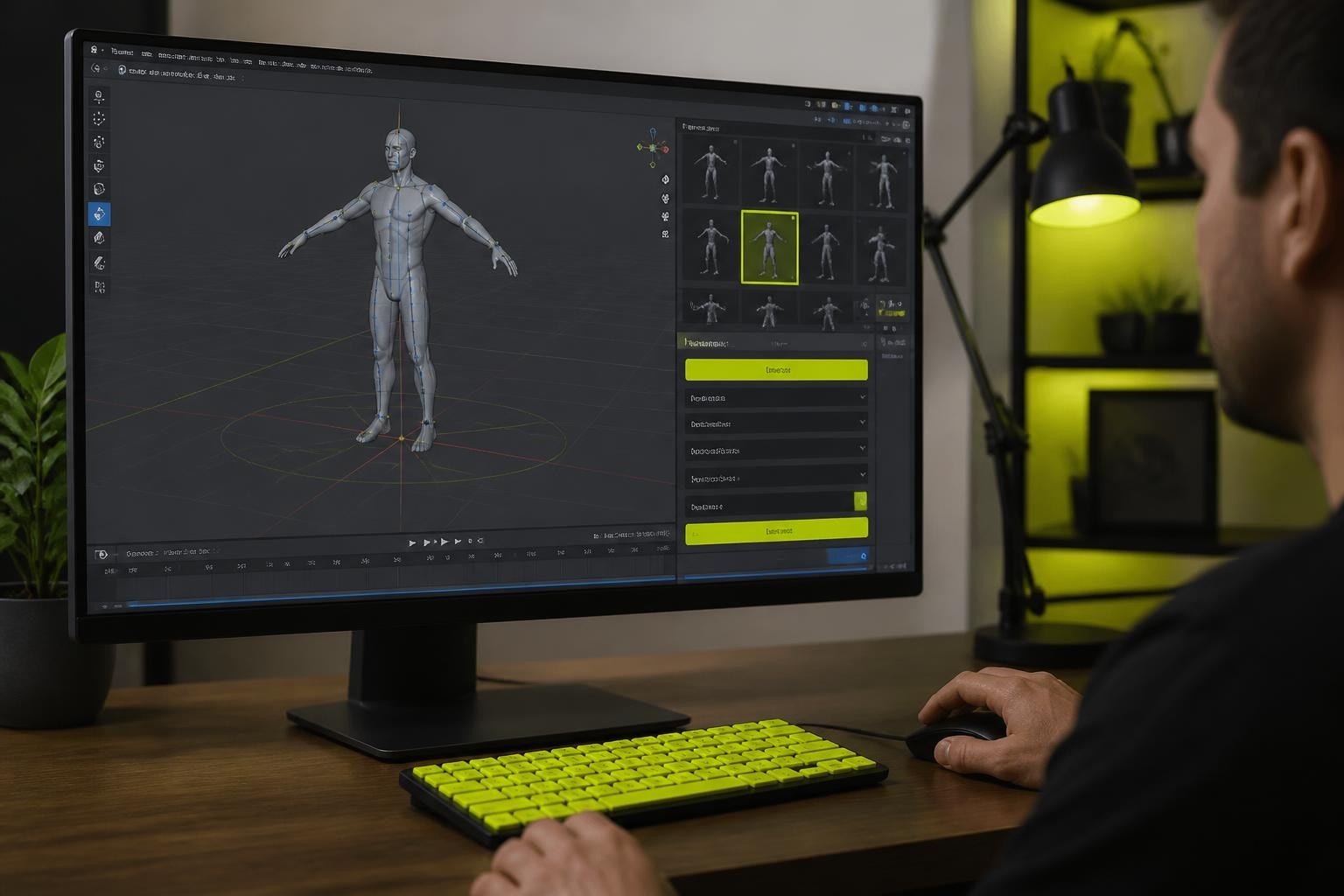
The mixamo blender addon has transformed how game developers and 3D artists approach character animation workflows. Instead of manually rigging characters or spending hours creating walk cycles from scratch, artists can leverage Mixamo's cloud-based rigging system and extensive motion library directly within Blender. This integration eliminates the export-import cycle that previously slowed production pipelines, letting creators focus on artistic decisions rather than technical setup. Understanding how to properly configure and use this addon can dramatically reduce animation production time while maintaining professional quality standards.
Understanding the Mixamo Blender Addon Architecture
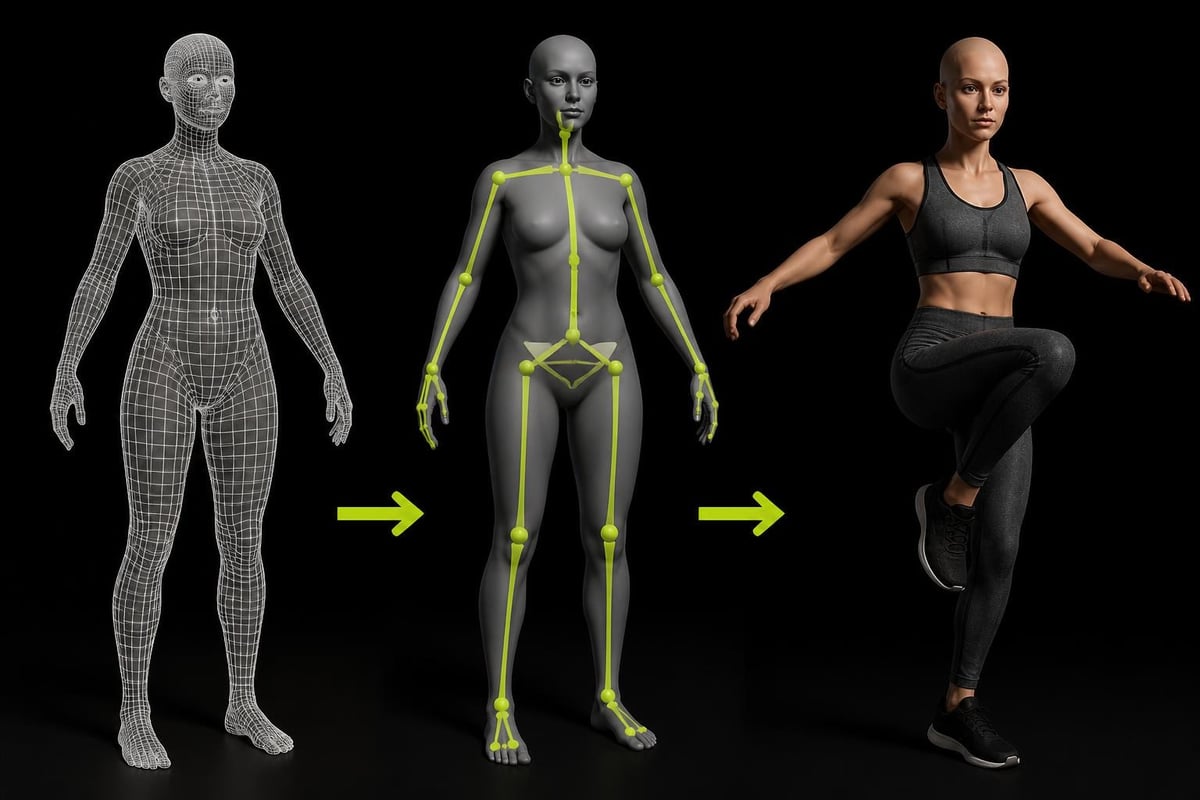
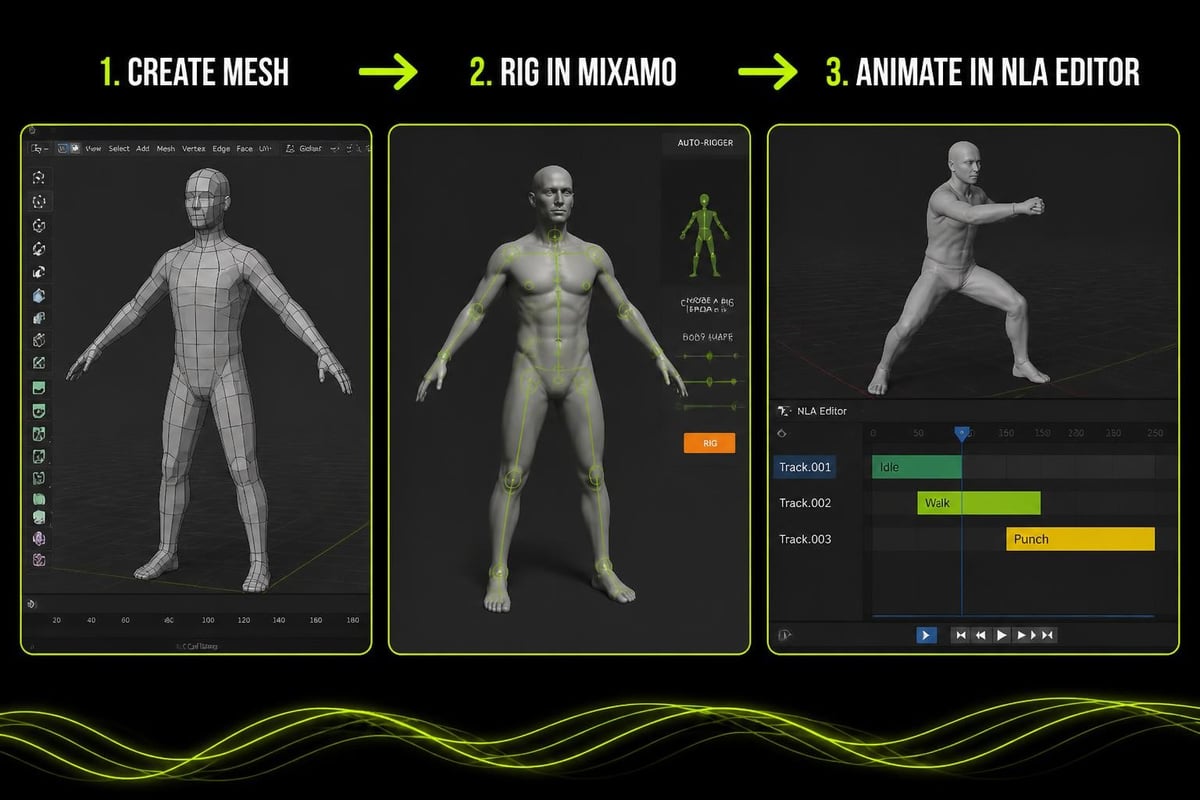
The mixamo blender addon functions as a bridge between Adobe's Mixamo web service and Blender's animation system. When you upload a character model to Mixamo, their automated rigging algorithm analyzes the mesh topology and places joints based on detected anatomical landmarks. The system then generates a skeleton optimized for bipedal character animation, complete with proper weight painting and deformation controls.
Once rigged, the character can access Mixamo's library of over 2,500 motion capture animations. The official Mixamo add-on for Blender brought this workflow directly into the Blender interface, removing the need to manually download FBX files and import them separately.
Technical Foundation and File Format Handling
The addon relies on Blender's FBX import capabilities to bring Mixamo characters and animations into your scene. However, Mixamo's FBX export settings differ from standard Blender conventions in several key areas:
- Armature naming conventions that use specific prefixes
- Animation baking at 30 frames per second by default
- Root motion data embedded in hip bone transformations
- Material slots that may not align with Blender's PBR workflow
Understanding these differences helps troubleshoot common issues like offset animations, incorrect scaling, or missing textures. The mixamo blender addon handles many of these conversions automatically, but knowing the underlying structure proves valuable when customization becomes necessary.
Installation and Configuration Best Practices
Installing the mixamo blender addon requires different approaches depending on which version you're using. The official Adobe version works through Blender's preferences panel, while community-maintained alternatives may require manual installation from GitHub repositories.
For Blender 4.0 and beyond, compatibility fixes have been developed by the community to address API changes in newer Blender versions. These updates ensure the addon continues functioning as Blender's codebase evolves. Production studios should maintain version control of both their Blender installation and addon versions to ensure consistency across team members.
Step-by-Step Installation Process
- Download the addon package from the official source or trusted repository
- Open Blender and navigate to Edit > Preferences > Add-ons
- Click "Install" and select the downloaded ZIP file
- Enable the addon by checking the box next to its name
- Configure API credentials if required for direct Mixamo access
- Set default import preferences for scale, orientation, and animation settings
- Test the installation with a sample character import
After installation, verify that the addon panel appears in the 3D viewport sidebar. The interface typically includes sections for character upload, animation browsing, and import settings. Customizing these default settings based on your project requirements saves time on every subsequent import.
Production Workflow Integration Strategies
Integrating the mixamo blender addon into game development pipelines requires careful consideration of asset management, naming conventions, and file organization. The addon excels at rapid prototyping and placeholder animation creation, allowing programmers and level designers to test gameplay mechanics before final animations are produced.
Character Preparation and Optimization
Before uploading characters to Mixamo, prepare meshes for optimal auto-rigging results:
| Preparation Step | Recommendation | Impact |
|---|---|---|
| Polygon Count | 5,000-50,000 triangles | Rigging accuracy |
| Topology | Clean quad-based mesh | Weight distribution |
| A-Pose vs T-Pose | T-pose preferred | Joint placement |
| Mesh Cleanup | Merge vertices, remove doubles | Deformation quality |
| Scale Consistency | Apply transforms before export | Animation compatibility |
The mixamo blender addon works best with characters in T-pose orientation, though the Mixamo service can handle A-pose models with reduced accuracy. Ensuring clean topology around joints like elbows, knees, and shoulders significantly improves automatic weight painting quality.
Game developers building stylized characters can combine Mixamo animations with palette texture workflows to maintain performance while achieving distinct visual styles. This approach reduces texture memory overhead while leveraging Mixamo's animation library for character movement.
Animation Library Management and Editing
The Mixamo platform provides thousands of motion capture animations spanning combat, locomotion, dancing, and emotional gestures. The mixamo blender addon allows browsing and importing these animations directly, but effective use requires understanding how to modify, blend, and adapt them to specific project needs.
Modifying Imported Animations
Once imported, Mixamo animations exist as action datablocks in Blender. The Mixamo rig add-on tutorial demonstrates creating control rigs that allow artists to adjust poses within the animation while maintaining the overall motion timing. This technique proves essential when the base animation almost works but requires minor adjustments for gameplay clarity or artistic direction.
Common editing tasks include:
- Trimming animation length to remove unnecessary frames
- Adjusting root motion for proper character movement
- Blending multiple animations using the NLA editor
- Baking to custom rigs for advanced control systems
- Retiming keyframes to match specific gameplay speeds
For complex character controllers in game engines, developers often need to convert Mixamo animations to support root motion properly. The Mixamo converter addon addresses this specific need for Unreal Engine integration, demonstrating how the base Mixamo data can be transformed for different engine requirements.
Technical Challenges and Solutions
Working with the mixamo blender addon involves navigating several common technical challenges that arise from the interaction between cloud-based services, FBX file format limitations, and Blender's internal systems.
Scale and Orientation Inconsistencies
Mixamo exports characters at different scales depending on the original model's unit system. When importing multiple characters animated with the same motions, inconsistent scaling can break animation retargeting workflows. Establishing a project-wide scale standard before beginning animation work prevents downstream complications.
Solutions for scale management:
- Set Blender's unit scale to match your game engine (typically meters)
- Apply the same Mixamo export settings for all characters
- Use empties as parent objects to adjust scale non-destructively
- Document scale factors in asset management databases
- Create import presets within the mixamo blender addon
Understanding the relationship between different animation systems helps predict compatibility issues. Research into motion retargeting techniques reveals the computational complexity behind making one character's motion work on a different skeleton structure, which explains why Mixamo's auto-rigging uses standardized bone hierarchies.
Animation Cleanup for Game Engines
Raw Mixamo animations often contain keyframes on every frame, resulting in bloated file sizes that impact game performance. The mixamo blender addon imports this dense keyframe data, which then requires optimization before export to game engines.
| Optimization Technique | Purpose | Tool |
|---|---|---|
| Keyframe reduction | Reduce file size | Graph Editor Decimate |
| Curve simplification | Smooth interpolation | Simplify Curves operator |
| Constraint removal | Engine compatibility | Armature cleanup |
| Action baking | Freeze deformations | Bake Action |
| NLA strip merging | Combine sequences | NLA Editor |
Production studios often develop custom scripts that automate this cleanup process, ensuring consistent quality across hundreds of animation files. The mixamo blender addon provides the raw material, but professional pipelines add additional processing layers.

Advanced Rigging and Control Systems
While Mixamo's automatic rigging serves prototyping needs excellently, production-quality characters often require additional control layers. The mixamo blender addon provides the foundation skeleton, which artists can extend with custom constraints, IK systems, and facial rigs.
Building Custom Control Rigs
Professional character artists frequently create custom control rigs that interface with the Mixamo skeleton. This approach preserves the ability to import new Mixamo animations while providing animator-friendly controls that don't exist in the base rig. Techniques include:
- IK/FK switching for arms and legs
- Pole targets for precise elbow and knee positioning
- Custom bone shapes for improved viewport selection
- Constraint layers for props and weapon attachment
- Space switching for hand objects between world and character space
Similar to how retopology workflows require balancing automation with manual control, character rigging benefits from combining Mixamo's automated skeleton with artist-created control systems. This hybrid approach maximizes productivity while maintaining creative flexibility.
Performance Optimization for Game Development
Game developers using the mixamo blender addon must consider runtime performance implications. While Mixamo animations work beautifully in viewport playback, game engines have different performance characteristics and limitations that affect how animations should be structured.
Draw Call and Memory Considerations
Character animation performance extends beyond skeleton computation to include texture systems and material complexity. When building game characters with Mixamo animations, reducing draw calls and texture memory becomes critical for maintaining frame rates across different hardware configurations.
Performance optimization checklist:
- Merge materials where possible to reduce shader swaps
- Use texture atlases instead of multiple texture files
- Implement LOD systems for distant character rendering
- Compress animation data using engine-specific formats
- Profile bone counts against target platform specifications
For stylized game projects, combining the mixamo blender addon's animation capabilities with efficient texturing methods creates cohesive production pipelines. Artists can iterate quickly on character movement while maintaining performance budgets essential for smooth gameplay.
Workflow Customization and Scripting
Advanced users extend the mixamo blender addon's functionality through Python scripting, creating custom tools that address studio-specific requirements. Blender's API provides extensive access to animation data, allowing developers to automate repetitive tasks and enforce pipeline standards.
Common Automation Tasks
Studios building games with dozens or hundreds of characters benefit enormously from automation. Python scripts can batch-process Mixamo imports, applying consistent settings and performing cleanup operations that would take hours manually:
- Batch character importing from Mixamo with preset configurations
- Automatic material setup matching project shader requirements
- Animation renaming following studio naming conventions
- NLA track organization for complex animation state machines
- Export validation ensuring compatibility with target engines
- Documentation generation creating asset databases automatically
These automation layers transform the mixamo blender addon from a simple import tool into a comprehensive animation production system. The initial investment in scripting infrastructure pays dividends across project lifecycles, particularly for live-service games requiring regular content updates.
Integration with Modern Production Tools
The mixamo blender addon exists within a broader ecosystem of production tools, including version control systems, asset management databases, and collaborative review platforms. Understanding how to connect these systems creates efficient pipelines that scale with team size and project complexity.
Version Control for Animation Assets
While most developers track code through Git or similar systems, animation files present unique challenges due to file size and binary formats. The mixamo blender addon generates FBX files and Blender project files that require careful version management:
- Store source Blender files separately from exported game assets
- Use Git LFS for binary file tracking
- Implement clear naming conventions that include version numbers
- Document which Mixamo animations correspond to which game states
- Create revert procedures for animation changes that break gameplay
Tutorial resources like CGDive's Mixamo addon demonstration show practical workflows that individual artists can implement immediately, while comprehensive integration guides demonstrate studio-level pipeline considerations.
Character Variety and Artistic Direction
One advantage of the mixamo blender addon lies in its ability to quickly test different character proportions and body types with the same animations. Mixamo's auto-rigging adapts to various mesh configurations, enabling art directors to evaluate stylistic choices with functional animation from day one.
Maintaining Artistic Consistency
While Mixamo provides tremendous animation variety, projects require visual cohesion that extends beyond motion data. The mixamo blender addon imports characters with default Mixamo materials, which rarely match final art direction. Establishing material templates and shader systems early in production ensures imported characters integrate visually with custom environments and effects.
Artists working on stylized projects often develop custom texturing approaches that balance visual appeal with performance requirements. These systems work alongside Mixamo animations, creating complete characters ready for implementation in game engines.
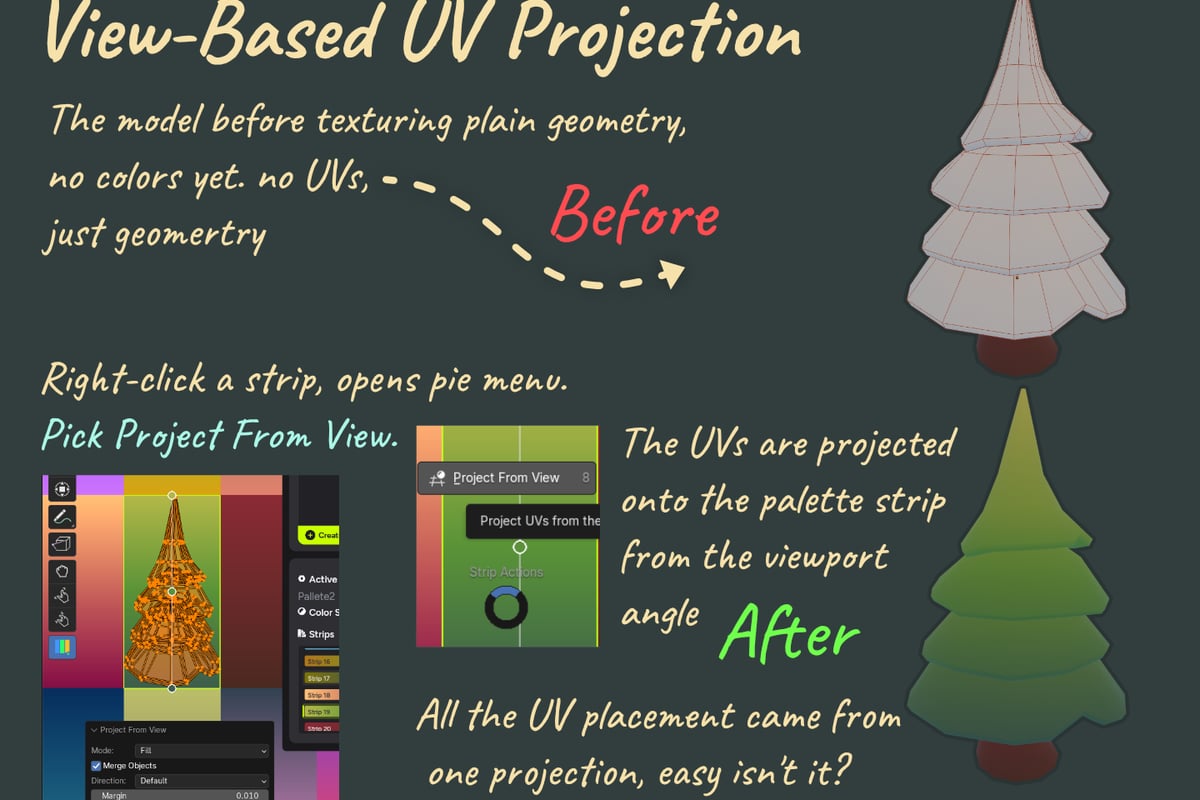
When characters require both animation and specialized texturing workflows, tools built for production efficiency become essential. SavedPixel's Palette Grid addon streamlines gradient palette texturing for stylized characters, letting artists create and edit palette textures directly in Blender without external tools. This approach complements the mixamo blender addon by addressing the texturing side of character creation while Mixamo handles animation.
Community Resources and Continued Learning
The mixamo blender addon benefits from active community support, with artists sharing workflows, troubleshooting tips, and custom extensions. Engaging with these communities provides access to solutions for edge cases and advanced techniques not covered in official documentation.
Platforms like SavedPixel's community discussions host conversations about production challenges spanning animation, texturing, and optimization. These spaces allow practitioners to share real-world experiences with tools like the mixamo blender addon, moving beyond theoretical capabilities to practical implementation details.
Staying Current with Updates
Both Blender and Mixamo evolve continuously, with new features and API changes affecting addon compatibility. Following development channels and testing updates in isolated environments prevents production disruptions when new versions release. The mixamo blender addon landscape includes both official Adobe support and community-maintained alternatives, each with different update schedules and feature sets.
Monitoring resources like SavedPixel's updates page alongside Blender addon repositories ensures you're aware of new capabilities and compatibility requirements as they emerge. This proactive approach minimizes downtime and takes advantage of efficiency improvements as they become available.
Future Developments and Industry Trends
Character animation technology continues advancing rapidly, with machine learning systems, procedural animation, and real-time motion capture changing how studios approach production. The mixamo blender addon represents one approach within this evolving landscape, providing accessible motion capture data without requiring specialized equipment or extensive technical knowledge.
Understanding broader industry trends helps contextualize where tools like the mixamo blender addon fit into production strategies. While automated rigging and motion libraries handle many common scenarios, specialized character work still benefits from manual rigging and custom animation. Balancing automation with craftsmanship remains essential for creating memorable characters that serve gameplay and narrative goals.
Exploring comprehensive guides on Blender addons for specific workflows reveals how different tools address complementary aspects of game development. The mixamo blender addon excels at animation, while other solutions target modeling, texturing, or optimization, creating ecosystems of specialized tools that collectively enable efficient production.
The mixamo blender addon provides game developers and 3D artists with powerful animation capabilities that significantly reduce production time while maintaining professional quality standards. By understanding installation procedures, workflow integration strategies, and optimization techniques, teams can leverage Mixamo's extensive motion library effectively within their Blender pipelines. At Saved Pixel, we build tools that solve real production problems, from gradient palette texturing to retopology workflows, helping artists create better content faster. Explore our addons designed by working developers who understand the challenges you face every day.