 Get Palette Grid
The BlenderKit addon has revolutionized how 3D artists access and manage digital assets within Blender. Instead of hunting through scattered asset libraries or building everything from scratch, this addon delivers thousands of models, materials, brushes, and HDRIs directly into your workspace. For production artists who need to move fast without sacrificing quality, understanding how this tool works and fits into modern workflows is essential.
What the BlenderKit Addon Does
The BlenderKit addon serves as a bridge between Blender's interface and a massive online asset library. Artists can search, preview, and import 3D models, PBR materials, procedural textures, and HDRI environments without leaving their project file.
Core Functionality
The addon integrates seamlessly into Blender's UI, adding a dedicated panel in the 3D viewport and shader editor. Key features include:
- Real-time asset search with filtering by category, quality rating, and license type
- Direct downloads that append assets straight into your current blend file
- Material browser for applying textures and shaders to selected objects
- Community uploads where artists can share their own creations
- Rating system that helps surface high-quality content
When you search for "medieval armor" or "concrete wall material," the blender kit addon queries its online database and displays thumbnails with metadata. Click to download, and the asset appears in your scene or shader library immediately.
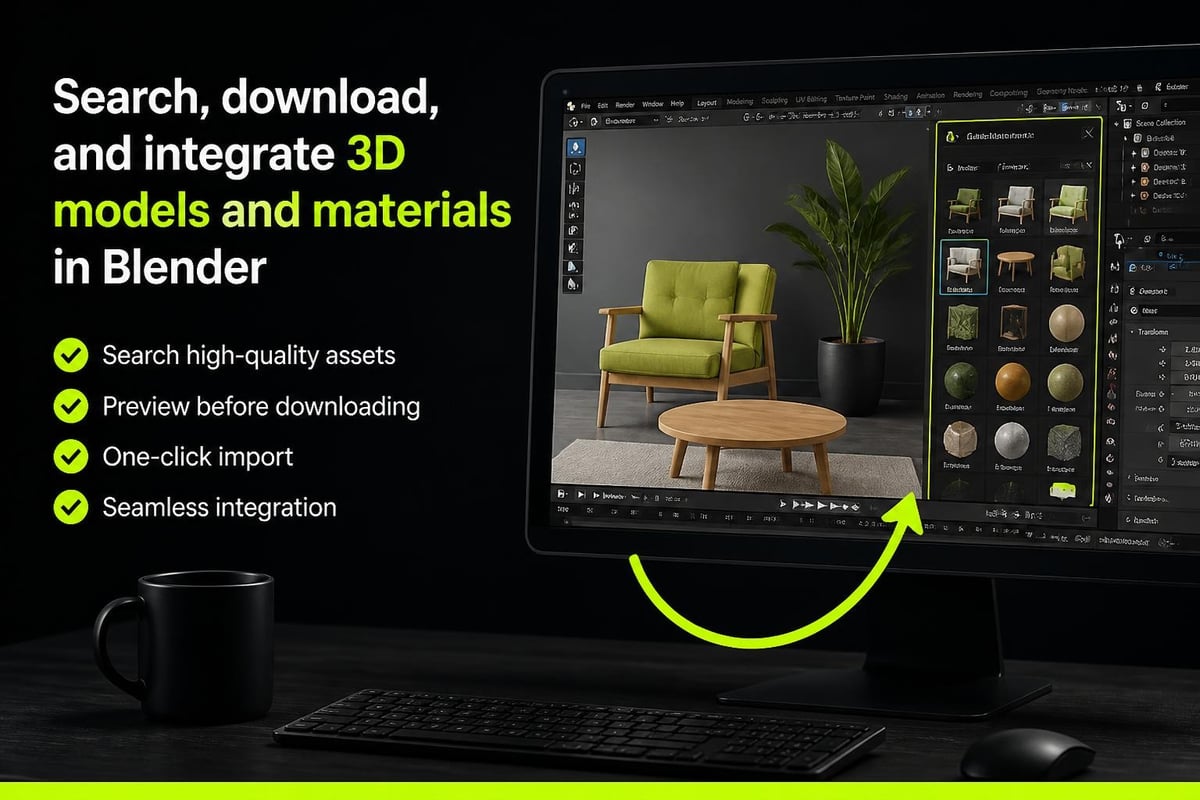
The system handles dependencies automatically. If a model uses specific textures or linked objects, those components download together, maintaining proper relationships. This eliminates the manual setup that traditionally eats into production time.
Setting Up BlenderKit
Installing the blender kit addon follows Blender's standard addon process, with a few specific steps for account integration and preferences.
Installation Process
- Download the latest version from the official BlenderKit repository
- Open Blender and navigate to Edit > Preferences > Add-ons
- Click "Install" and select the downloaded ZIP file
- Enable the checkbox next to "BlenderKit Asset Library"
- Create a free account or log in through the addon preferences panel
After installation, you'll see new panels in your 3D viewport's sidebar (press N to toggle) and in the shader editor. The preferences menu lets you configure download directories, thumbnail quality, and search result limits.
| Setting | Purpose | Recommended Value |
|---|---|---|
| Max Asset Rating | Filter by quality threshold | 90-100 for production |
| Download Directory | Where assets are cached locally | External drive for teams |
| Thumbnail Resolution | Preview image quality | High for detailed models |
| Search Results Per Page | How many items load at once | 50-100 based on connection |
Account Configuration
Your BlenderKit account determines access levels and upload quotas. Free accounts provide unlimited downloads of community assets and limited uploads. Paid subscriptions unlock premium content, higher upload limits, and priority support.
The authentication token stored in Blender preferences keeps you logged in across sessions. For studio environments, consider whether individual accounts or shared licenses better serve your pipeline needs.
Asset Categories and Quality
The blender kit addon organizes content into distinct categories, each with quality standards and use cases that matter for production work.
Models and Objects
The model library includes everything from architectural elements to character props. Quality varies based on contributor skill and asset purpose:
- Game-ready models optimized for real-time rendering with clean topology
- High-poly sculpts suitable for subdivision or baking detail
- Parametric objects with modifiers intact for editing
- Rigged characters with basic armatures ready for animation
Check polygon counts and modifier stacks before importing into performance-critical projects. Some assets prioritize visual fidelity over optimization, which works fine for still renders but can slow down game engines or viewport performance.
Materials and Textures
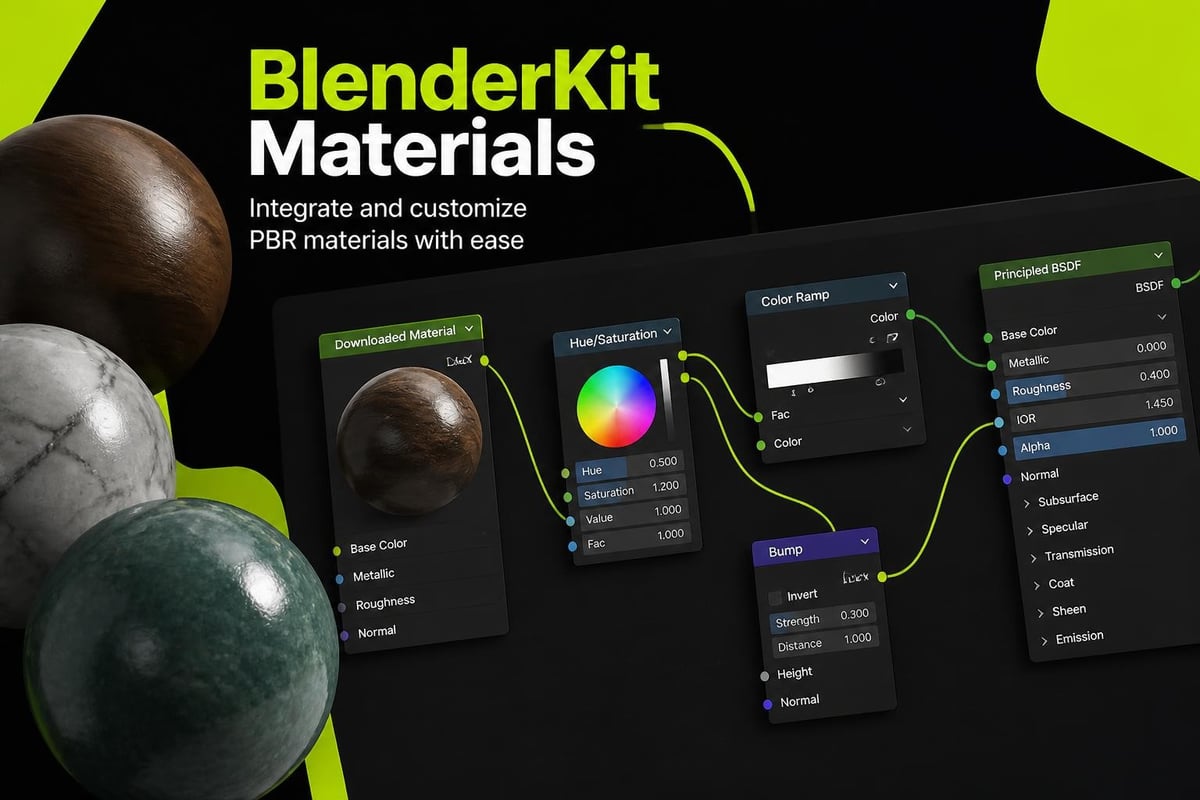
The material section is where many artists find immediate value. PBR materials with properly configured nodes eliminate hours of shader setup:
- Procedural materials that scale without resolution limits
- Texture-based materials with diffuse, roughness, normal, and metallic maps
- Stylized shaders for non-photorealistic workflows
- Specialized surfaces like skin, fabric, and organic materials
For stylized game development, the material browser accelerates iteration when building palette textures or experimenting with gradient-based shading approaches. You can grab a base material, adjust the color ramps, and immediately see how it affects your art direction.
HDRIs and Lighting
Environment lighting through HDRIs dramatically improves render quality with minimal setup. The addon provides curated HDRI collections for:
- Outdoor environments with natural sunlight
- Studio setups with controlled lighting
- Interior spaces with practical light sources
- Night scenes and dramatic lighting conditions
Resolution matters here. Lower-resolution HDRIs work for background plates but may show artifacts when used for strong reflections. Always check the pixel dimensions before committing to a specific HDRI for final renders.
Integration with Production Pipelines
Understanding how the blender kit addon fits into professional workflows helps determine whether it solves real problems or creates new dependencies.
Asset Management Considerations
Studios need consistent naming conventions, version control, and library organization. The blender kit addon downloads assets to a local cache, which means:
Benefits:
- Assets work offline after initial download
- No repeated bandwidth usage for frequently used items
- Local cache can be backed up or synced across workstations
Challenges:
- Cache folders grow large over time without management
- Multiple artists may download duplicate assets
- Version updates don't automatically replace cached files
Setting up a shared network cache lets teams pool resources, but requires IT coordination for permissions and backup procedures. For solo artists and small teams, the default local cache usually works fine with periodic cleanup.
License and Copyright Awareness
Every asset on BlenderKit includes license information. Most community uploads use CC0 (Creative Commons Zero) or Royalty-Free licenses, permitting commercial use without attribution. Always verify license terms before using assets in client projects or commercial releases.
Premium assets may have restrictions on redistribution or require credit in final products. The addon displays license details in the asset information panel. Read them. Legal issues from improperly licensed assets cost more than buying proper licenses upfront.
Comparing BlenderKit to Alternatives
The blender kit addon isn't the only asset library solution for Blender users. Understanding competing options clarifies when BlenderKit makes sense.
| Feature | BlenderKit | Manual Asset Libraries | Other Addon Marketplaces |
|---|---|---|---|
| Integration | Native Blender panel | Custom organization | Varies by platform |
| Asset Volume | 20,000+ items | Unlimited (DIY) | 1,000-10,000 items |
| Cost | Free + paid options | Free (your time) | Mostly paid |
| Quality Control | Community ratings | Your curation | Marketplace screening |
| Offline Access | After download | Always | Platform dependent |
As detailed in this comparison of Blender addons, the best tool depends on project requirements. BlenderKit excels at discovery and quick access but doesn't replace purpose-built tools for specific tasks like retopology or specialized texturing.
Performance Optimization Tips
The blender kit addon can impact Blender performance if not managed properly. These strategies keep your workflow smooth:
Download Management
- Use search filters to narrow results before loading thumbnails
- Increase thumbnail cache size if you regularly browse large asset categories
- Clear old downloads periodically to reclaim disk space
- Disable auto-preview for materials if you're working with complex shader graphs
Preview generation for hundreds of materials simultaneously can spike CPU usage. Loading assets in smaller batches prevents viewport lag during search sessions.
Asset Preparation
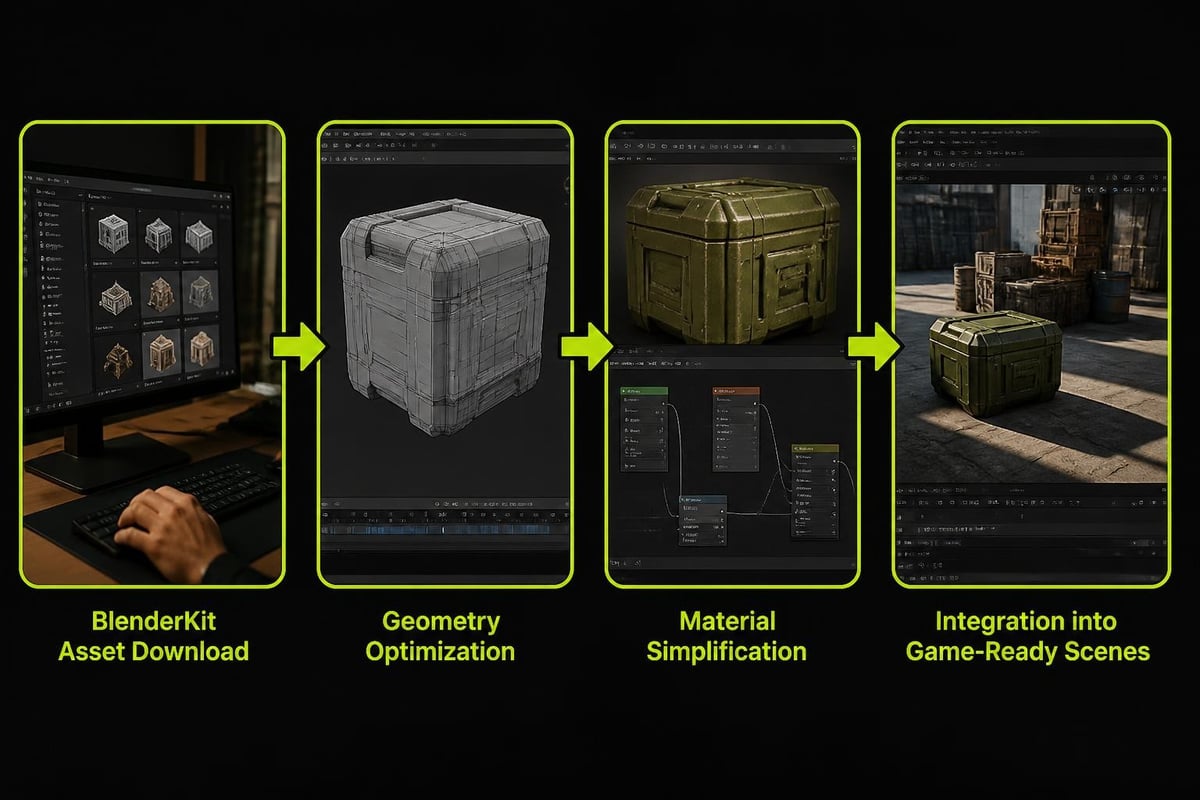
After downloading assets, prepare them for your specific needs:
- Append only needed components rather than linking entire blend files
- Check material node complexity and simplify unnecessary shader branches
- Optimize geometry for your target platform (game engine vs. final render)
- Bake procedural textures if real-time performance matters
Working on stylized game assets often means adapting downloaded materials to fit your art direction. The blender kit addon provides starting points, but reducing draw calls and memory usage requires intentional optimization steps.
Advanced Features and Workflows
Beyond basic asset browsing, the blender kit addon includes features that accelerate specific production tasks.
Upload and Sharing
Artists can contribute their own assets to the BlenderKit library. The upload process includes:
- Automatic thumbnail generation from your viewport
- Metadata tagging for searchability
- Quality review by BlenderKit moderators
- Optional paid licensing for premium content
Sharing procedural materials or custom rigs benefits the community while building your portfolio. Premium uploads generate passive income if other artists purchase licenses.
API and Automation
The BlenderKit GitHub repository includes documentation for its Python API. Technical artists can script automated asset imports, batch material applications, or custom search interfaces.
For studios building custom pipelines, the API lets you integrate BlenderKit searches into proprietary tools without manually clicking through the addon interface. This works well for generating environment variations or populating scenes with scatter systems.
Integration with Other Tools
The blender kit addon complements specialized workflow tools rather than replacing them. For example, after importing a base mesh from BlenderKit, you might use retopology addons to create optimized game topology or texture tools to apply gradient-based stylization.
Production pipelines often combine BlenderKit for initial asset gathering with purpose-built addons for specific technical tasks. This modular approach keeps workflows flexible while maintaining quality standards.
Community and Development
The BlenderKit addon benefits from active community involvement and transparent development practices.
Community Contributions
The quality and variety of available assets depend entirely on community uploads. As more artists contribute, the library grows more useful. Getting involved with the Blender community includes participating in asset creation, quality feedback, and feature requests.
User ratings and reviews help surface high-quality content. When you find particularly useful assets, rating them helps other artists discover those resources faster.
Development Roadmap
BlenderKit development continues with regular updates addressing compatibility with new Blender releases and user feature requests. Recent additions include:
- Expanded addon marketplace for purchasing other Blender addons through BlenderKit
- Improved search algorithms with AI-assisted tagging
- Better thumbnail generation for materials and node groups
- Enhanced upload tools with automated quality checks
The shift toward hosting third-party addons makes BlenderKit more of a platform than just an asset library. This expansion changes how artists discover and purchase Blender tools.
Practical Use Cases
Understanding when the blender kit addon provides the most value helps integrate it effectively into your workflows.
Rapid Prototyping
When exploring composition ideas or blocking out scenes, speed matters more than perfect custom assets. BlenderKit lets you test different props, materials, and environments without committing hours to modeling.
Prototype with library assets, get client feedback, then replace placeholders with custom work where it adds value. This approach saves time on elements that clients ultimately reject.
Learning and Skill Development
Studying how experienced artists construct materials and models accelerates learning. Download highly-rated assets and examine their node setups, modifier stacks, and topology decisions.
The official Blender tutorials cover fundamental techniques, while BlenderKit assets demonstrate those techniques applied to finished, production-quality work.
Production Asset Libraries
For recurring needs like architectural visualization or product rendering, building a curated library of favorite BlenderKit assets creates reusable templates. Save collections of complementary materials, lighting setups, and model kits for specific project types.
This works particularly well for artists who specialize in specific genres. A character artist might maintain a library of clothing items and accessories, while an environment artist curates vegetation and architectural elements.
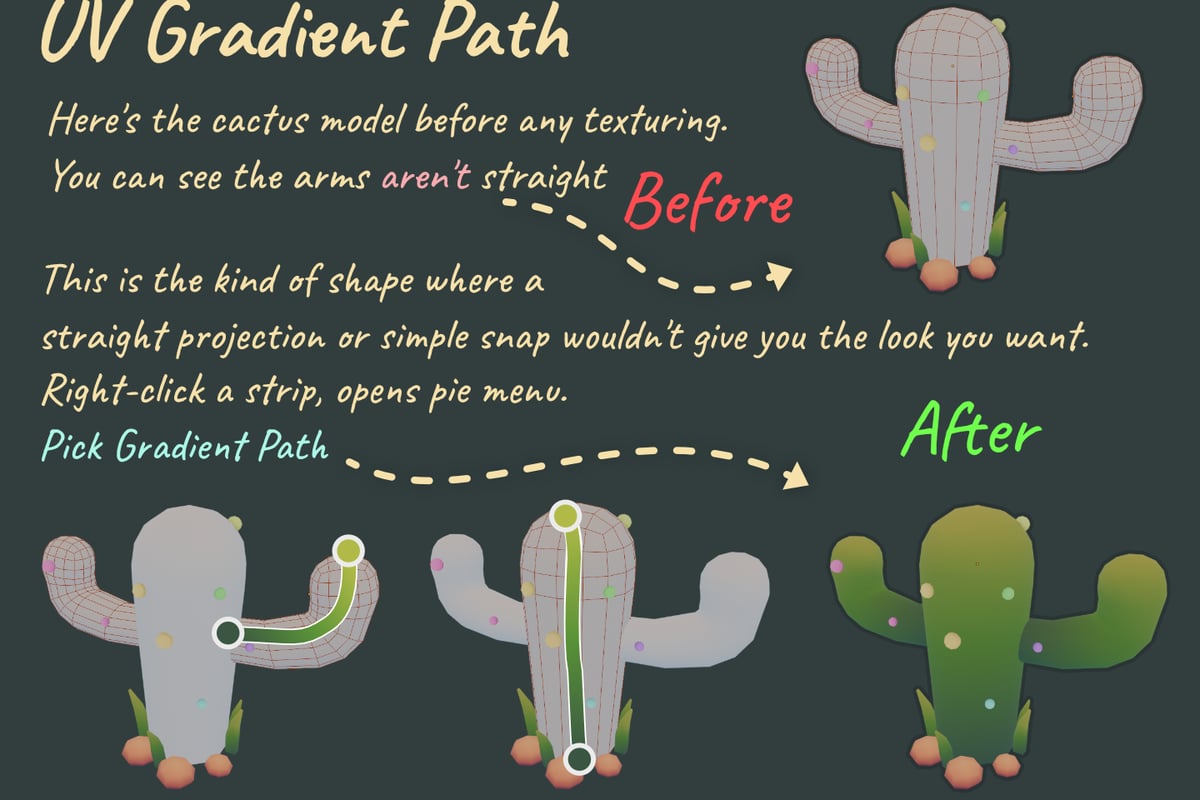
When working on stylized projects that rely on gradient-based texturing, you might combine BlenderKit's base materials with tools like Palette Grid to apply and edit gradient palette textures efficiently. This combination speeds up the process of achieving consistent art direction across multiple assets while maintaining the performance benefits of palette-based approaches.
Common Issues and Solutions
Even well-designed addons encounter problems. These solutions address frequent BlenderKit challenges:
Download Failures
Problem: Assets fail to download or import with errors.
Solutions:
- Check internet connection stability
- Verify BlenderKit servers aren't experiencing outages
- Clear the addon cache and retry download
- Update to the latest addon version
Performance Degradation
Problem: Blender becomes slow when browsing assets.
Solutions:
- Reduce search results per page in preferences
- Disable material preview auto-generation
- Close unused asset browser panels
- Increase Blender's memory allocation in system preferences
Compatibility Issues
Problem: Assets created in different Blender versions cause errors.
Solutions:
- Check asset metadata for supported Blender versions
- Update Blender to the latest stable release
- Report compatibility problems to asset creators
- Use "Link" instead of "Append" to isolate problematic assets
The blender kit addon development team actively monitors bug reports and releases patches for critical issues. Reporting problems through the GitHub repository helps improve the addon for everyone.
The BlenderKit addon streamlines asset management and accelerates production workflows when used strategically. Understanding its capabilities, limitations, and integration points helps you leverage its library effectively while maintaining quality standards. At Saved Pixel, we build production tools that solve real workflow problems for working artists, from efficient palette texturing to fast retopology, because good tools should enhance your creativity rather than dictate your process.